
May 14, 2026
Question

Reset value in datetimefield

  • May 14, 2026
  • 6 replies
  • 0 views

Is there any way to reset the value to null when only the date or time is entered in a datetimefield?


Screenshots attached


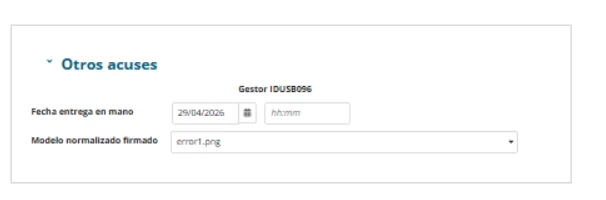
1. Enter only the date in 'Fecha entrega en mano'
 

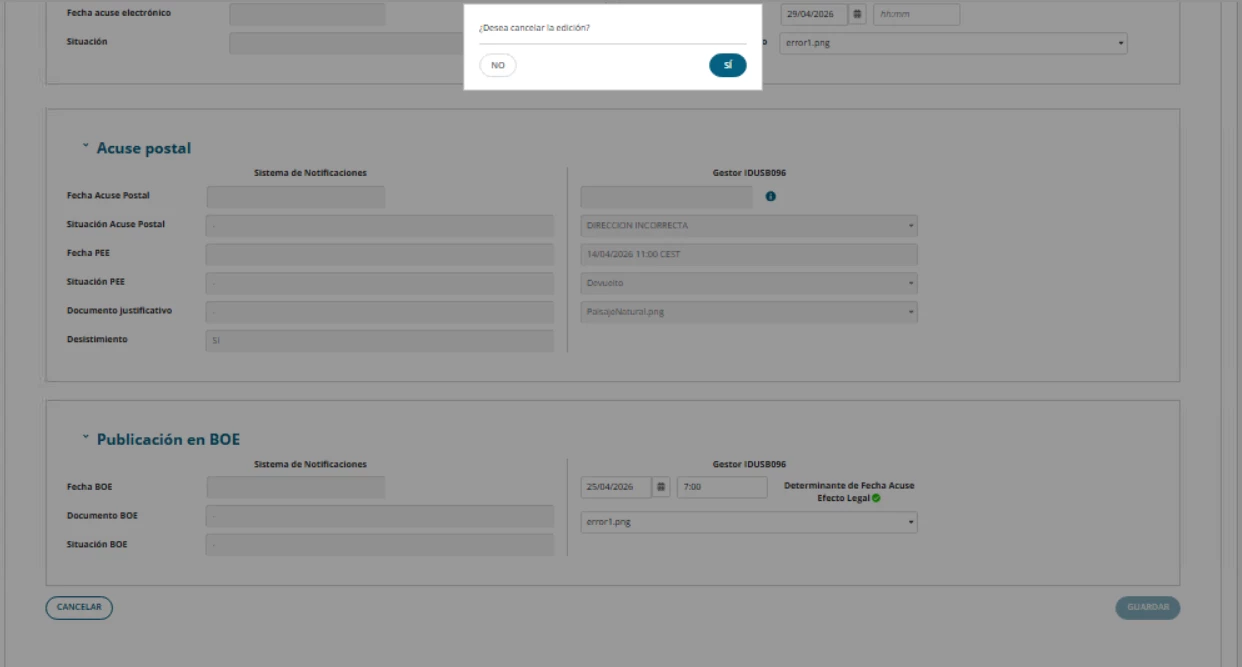
2. Click on CANCELAR and confirm
 

3. Click on EDITAR again
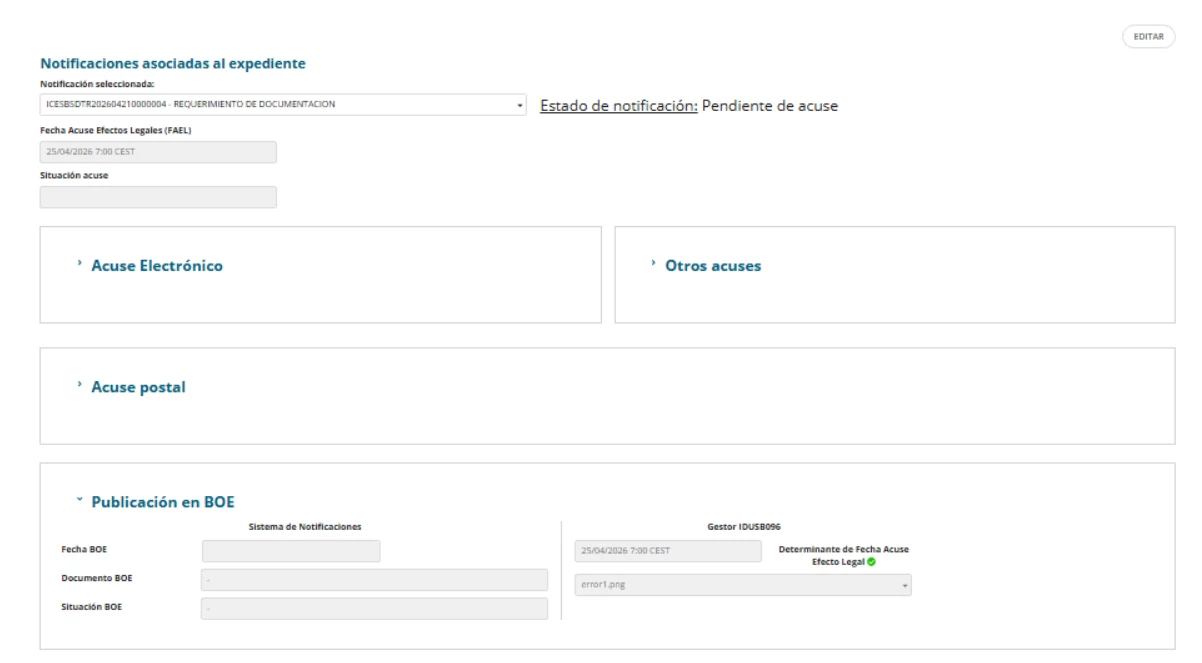
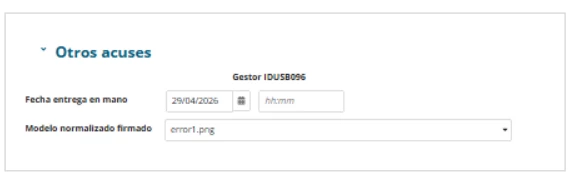
4. As can be seen in the screenshot, the previously entered value is displayed by default. Appian does not reset the value to null for datetimefields. However, for fields other than datetimefields, it does reset them and previously entered values do not appear.
6 replies

shubhama926776
May 15, 2026

Use a!save(local!myDateTimeVar, null()) in the Cancel action to clear the value explicitly, because a!dateTimeField() itself may keep the partial value.

stefanhelzle0001
May 15, 2026

How do you manage the overall interface state? Is this the only information you might need to reset somehow?

In a dynamic interface where I switch between larger interface sections, I use additional saveInto statements in buttons to control the state of the data.

May 19, 2026

The only issue with the datetimefield component is that it causes problems when I enter just the date or the time, even though the value of the local variable reverts to its previous value after clicking ‘Cancel’. It seems to be an Appian issue with that specific component, because we’re using a textfield that employs the same input rule to display the value as the datetimefield, and it displays correctly. 

I attached screenshot in the reply to Harsha

harshas2775
May 15, 2026

datetime field stores the data entered in one of the fields internally, which we cannot reset. To clear it properly configure a!save(local!dateTimeValue,null) in the button that submits the form.

Additionally if cancel/submit button have any process flow that writes the data into record/data store entity, you can add and set datetime field value to null before that node as well so that if value is not proper it doesnt get saved. 

May 19, 2026

When I click on ‘Edit’ and enter the date and time, or clear both fields and then click the ‘Cancel’ button, the variable value resets correctly when I edit it again. The problem arises when I enter only one of the values. It seems that, at the interface level, Appian does not reset the value correctly for that specific datetime field because the read-only field is a text field; it does display the value correctly using the same local variable, but the local variable is updated correctly.

1. I delete the time

2. Value 'Fecha acuse' after deleting the time

3. Value 'Fecha acuse' after cancel

4. Textfield in mode read only

5. Datetimefield (We are using the same input rule to display the value in both the text field and the datetime field)

mikes0011
Brainy
May 19, 2026
The problem arises when I enter only one of the values. It seems that, at the interface level, Appian does not reset the value correctly

Your reading is correct, and we have zero control of this from the design side, unfortunately.