

witoldw0001
April 26, 2023
Solved

Save values to a!map() local variable

  • April 26, 2023
  • 4 replies
  • 1 view

Hello,

On my UI, I have two text fields that I need to store temporarily until the user confirms their input with a button.

I wanted to store these values in a local variable using a!map() function, like so:

local!data: a!map(
    firstName: "",
    lastName: ""
)

I wanted to initialize the variable to be a map with two keys containing empty text strings. On the text fields, I wanted to access and save this data like so:

a!textField(
    label: "First Name",
    value: property(local!data, "firstName", null),
    saveInto: a!save(
        property(local!data, "firstName", null),
        save!value
    )
)

And it does not work. It just does not save the value - goes back to null, as If I could not save into the variable and initial empty strings were returned.

I tried using index(), but it failed as well.

May I ask for some help on this one?
    Best answer by ujjwalr0002

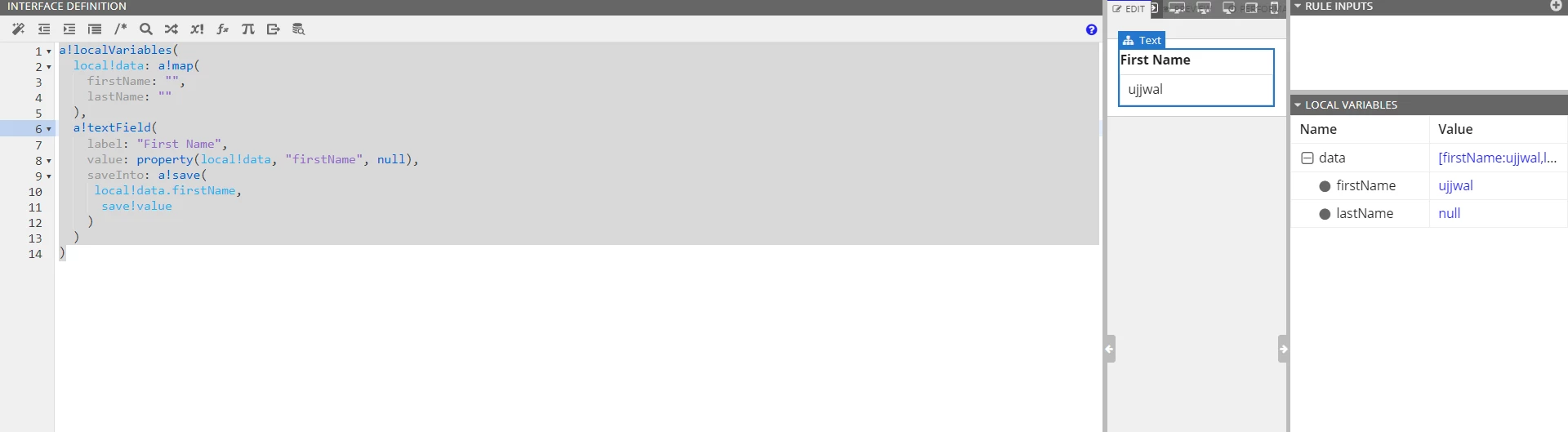
    Working fine for me ...

    a!localVariables(
      local!data: a!map(
        firstName: "",
        lastName: ""
      ),
      a!textField(
        label: "First Name",
        value: property(local!data, "firstName", null),
        saveInto: a!save(
         local!data.firstName,
          save!value
        )
      )
    )

    4 replies

    Participating Frequently
    April 26, 2023

    Working fine for me ...

    a!localVariables(
      local!data: a!map(
        firstName: "",
        lastName: ""
      ),
      a!textField(
        label: "First Name",
        value: property(local!data, "firstName", null),
        saveInto: a!save(
         local!data.firstName,
          save!value
        )
      )
    )

    witoldw0001
    April 26, 2023

    Thank you! The dot notation seems to solve the problem.

    harshitb6843
    April 26, 2023

    Property or index function is used to access the value of the variable but when you really need to variable directly, like when saving, then these functions won't work. You will have to use the Dot operator. And while working with saveInto(s), always the dot operator.