July 25, 2023
Solved

Saving my rule inputs for my interface and they are gone on reload?

  • July 25, 2023
  • 3 replies
  • 0 views

Hello,

I recently came across the issue of putting in all of my rule input values that I need for my editable grid to have my interface working. 

What happens is that I go to save after entering the rule input values in and when I reload the interface I get an error at the top.

Also, my rule input values go back to null. What is the reason for this? Is there some sort of mapping step with the data that has been missed? Sorry if this is a dumb question or has been answered before, I tried searching for other threads with the same issue but didn't find anything if it is out there. Any help is appreciated. 

Best answer by mikes0011
I go to save after entering the rule input values

When you say "entering the rule input values", do you mean entering TEST values?  Do you understand that these values are for loading within the interface editor only, for demonstration / testing purposes?  The actual rule inputs will be passed in (if necessary) by the parent interface and/or process model later.

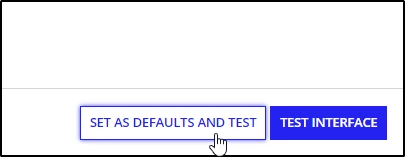
But if you're just talking about test values: did you click the "set as defaults" button prior to saving?

when I reload the interface I get an error at the top that looks like this:

The error message displayed here has nothing (in particular) to do with your rule input entry - it's telling you that you're not passing in enough components in your gridRow for the expected number (basically the number of components passed in needs to match the number of columns defined).

3 replies

mikes0011
mikes0011Answer
Brainy
July 25, 2023
I go to save after entering the rule input values

When you say "entering the rule input values", do you mean entering TEST values?  Do you understand that these values are for loading within the interface editor only, for demonstration / testing purposes?  The actual rule inputs will be passed in (if necessary) by the parent interface and/or process model later.

But if you're just talking about test values: did you click the "set as defaults" button prior to saving?

when I reload the interface I get an error at the top that looks like this:

The error message displayed here has nothing (in particular) to do with your rule input entry - it's telling you that you're not passing in enough components in your gridRow for the expected number (basically the number of components passed in needs to match the number of columns defined).

The Expression Guru
July 25, 2023

Ah that's what I was confused about thank you very much! I wanted to be able to set my default test values so each time I go back I can test accordingly. I realize it is just testing data but didn't want to have to enter it in each time I made a change in the expression.

mikes0011
Brainy
July 25, 2023

Gotcha - yes this is a very good practice to get used to.  Just make sure to enter your values via the pop-up interface you get when you press the "TEST" button on the top bar; if you simply click the rule inputs in the right-hand panel and manually set values there, it'll work for testing in that particular instance but there's no way to make it persist like when you use "save as default".

The Expression Guru