

aminw4267
August 15, 2024
Question

Search in Hero Section

  • August 15, 2024
  • 3 replies
  • 0 views

Hi,

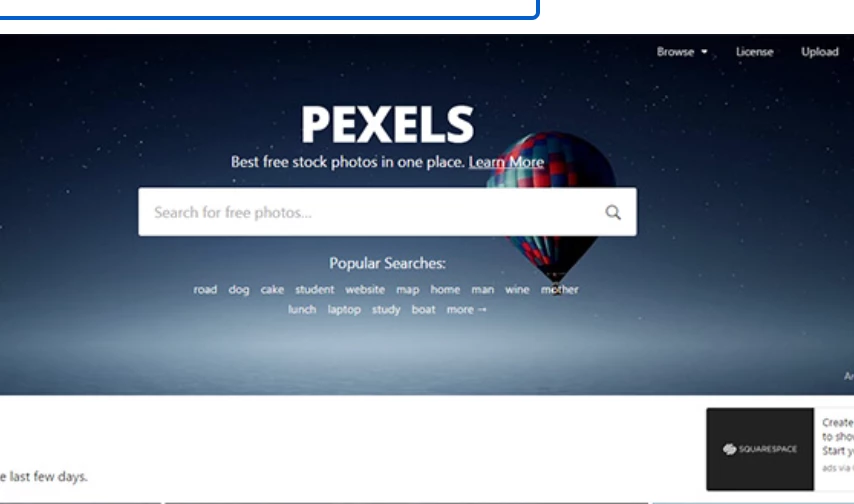
I'm trying to create a very common UI with a background image in the background using a billboard section and a search box like the examples below but I get an error
Could not display interface. Please check definition and inputs. Interface Definition: Expression evaluation error at function a!barOverlay [line 12]: A bar overlay has an invalid value for "contents". The overlay contains a component that is not supported in the billboard layout. Received: TextField.:  is there a way to accomplish this in appian ? 


Thanks in advance 

3 replies

stefanhelzle0001
Brainy
August 15, 2024

Overlay layouts do not support input fields. I do not know of a way to do that.

konduruc733182
August 15, 2024

Simple answer as Stefan mentioned the Overlay layouts do accept any input fields. Is it the image that you want behind the search/input field? In that case I don't think there is a way unless you make some alignments with the cards and Image fields which would blend the card color to Image color.

August 15, 2024

I find it a bit odd that buttons are supported but not text fields. Hopefully it is added in a future release.