
May 10, 2023
Question

Select specific row in a only read component in an interface

  • May 10, 2023
  • 15 replies
  • 0 views

Hi all, 

I have this issue: i want to select somehow a specified row in a!griedfield component, like ID 24 in the picture below, then start a process with some value taken from that row, with a submit buttom or something similar that can appear when the specified row is selected. Is it possible to achieve this goal? This is a screenshot of my site in which the element of the only read grid are taken from a recordtype, so this is why the ID is coloured in blue. 

Thank you in advance for the responces. 
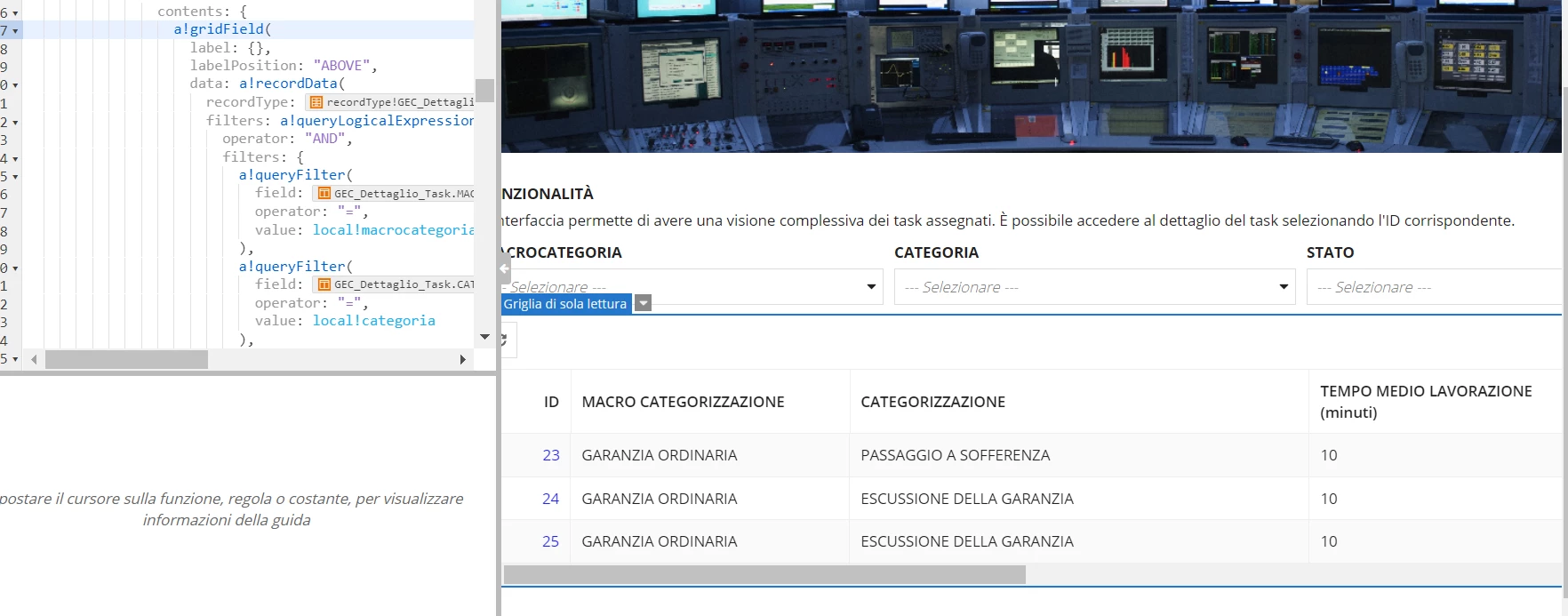
    15 replies

    May 10, 2023

    This is the purpose why Related actions are created. You can create a logic to only select one row at a time in the grid and add the related action to your grid (only visible when any row is selected) in which you will pass the current row identifier.

    May 10, 2023

    Hi all, thanks for the reply. I know about related action, but they are very limitated, at least that one that i can create automatically(create, delete, upload a recordtype). I want something more complex: for example select a row, start a process, update/reallocate some field for the recordtype and then delete the row from the interface. Can i do all this thing with a singol action?

    May 10, 2023

    Yes, you can.

    mathieud0001
    Brainy
    May 10, 2023

    You should be able to do that with a Record Action.

    docs.appian.com/.../Record_Action_Component.html

    Here are some UI examples:

    docs.appian.com/.../ux-record-actions.html

    May 10, 2023

    Hi all, thanks for the reply. I know about related action, but they are very limitated, at least that one that i can create automatically(create, delete, upload a recordtype). I want something more complex: for example select a row, start a process, update/reallocate some field for the recordtype and then delete the row from the interface. Can i do all this thing with a singol action?

    mathieud0001
    Brainy
    May 10, 2023

    Yes.

    mikes0011
    Brainy
    May 10, 2023

    You have various options.  Record Actions (assuming your grid is showing Record Data, which seems to be the case in your example) provide some of the biggest flexibility, since you could have the action open in a dialog if you'd like.  Other options include using a!startProcess or a!startProcessLink, depending on what desired behavior you're after - it would be trivially easy to have either of these options start a process utilizing the ID from the selected row(s) from the grid.

    The Expression Guru
    tejpals0001
    May 10, 2023

    You can also refer to this related action item .

    May 10, 2023

    ok, thanks for the responce. Are there some code or some pratical example to follow? I'm new with Appian and i don't know how to do these operations. And second thing i add a !recordActionField in my interfaces but no action appeared