kavyam0002
October 4, 2022
Solved

selection saveinto
  • October 4, 2022
  • 8 replies
  • 0 views

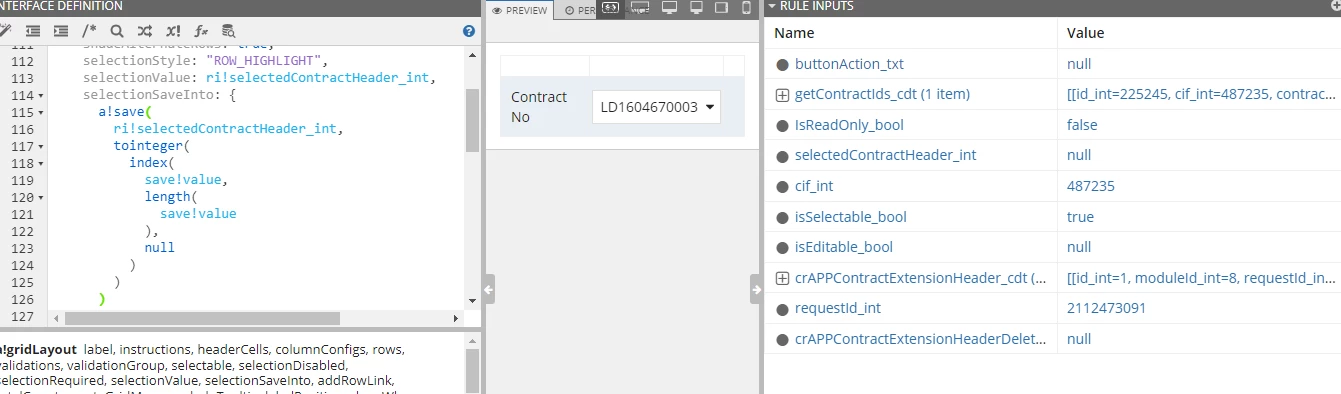
what mistake i have done here when ever i try to select it is not selecting once i select it is deselecting again
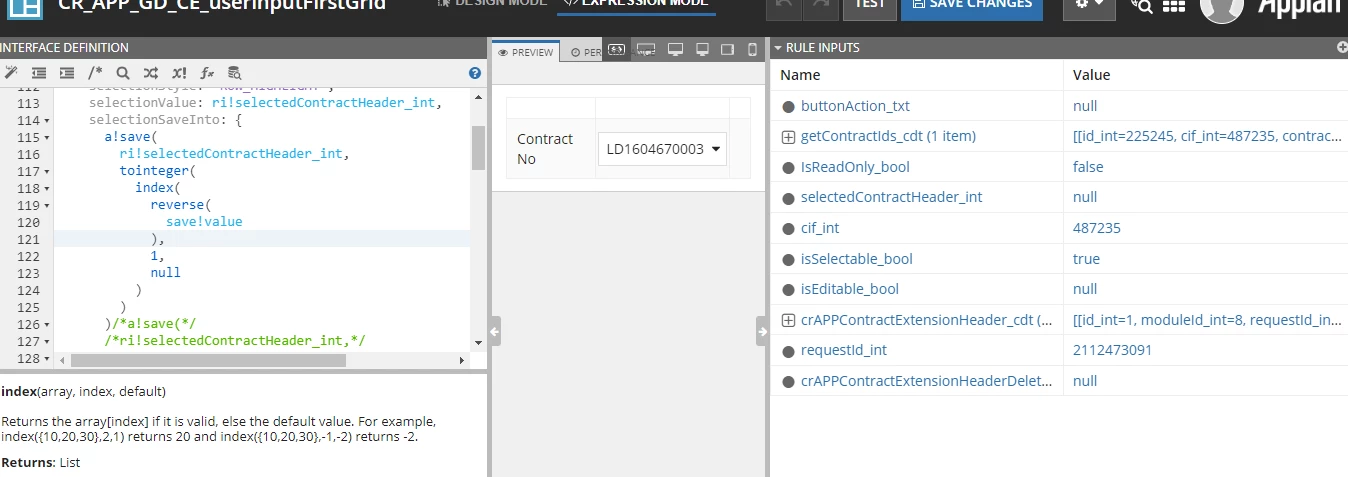
even i have checked with this.. this also same issue

    Best answer by mikes0011

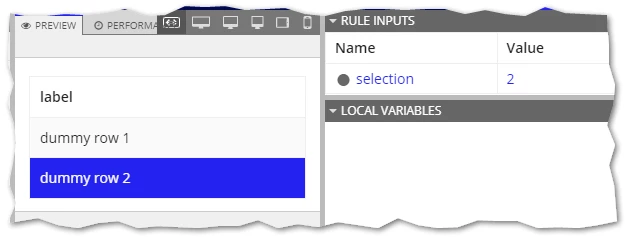
    This technique works for me.  In fact I'm a little surprised I never thought of using "reverse()" before, since that seems a bit more efficient than the "length(save!value)" method I used in the past.  Can you verify that your individual gridRowLayouts have valid "id" values?

    a!gridLayout(
      headerCells: {
        a!gridLayoutHeaderCell(label: "label")
      },
      selectable: true(),
      selectionValue: ri!selection,
      selectionStyle: "ROW_HIGHLIGHT",
      selectionSaveInto: {
        a!save(
          ri!selection,
          index(reverse(save!value), 1, null())
        )
      },
      rows: {
        a!gridRowLayout(
          id: 1,
          contents: { a!richTextDisplayField(value: "dummy row 1") }
        ),
        a!gridRowLayout(
          id: 2,
          contents: { a!richTextDisplayField(value: "dummy row 2") }
        )
      }
    )

    8 replies

    harshitb6843
    October 4, 2022

    What are you trying to achieve here? Single selection or multiple?

    kavyam0002
    October 4, 2022

    single row selection

    harshitb6843
    October 4, 2022

    Grid selection works with multiple values. To limit it to one, there is no direct way and you have to manipulate the value in your code. Try the below code in your saveInto

    saveInto: {
        local!value,
        a!save(
            local!value,
            index(local!value, length(local!value), {})
          )
        }

    Participating Frequently
    October 4, 2022

    What exactly you want to do it in the selection save into. like you are using lot functions reverse index etc.

    mikes0011
    Brainy
    October 4, 2022

    it's a method useful for storing only the most recent row selection AS the selection value - used for a long time now - as far as I can tell it should work, to be honest.

    The Expression Guru
    stefanhelzle0001
    Brainy
    October 4, 2022
    mikes0011
    mikes0011Answer
    Brainy
    October 4, 2022

    This technique works for me.  In fact I'm a little surprised I never thought of using "reverse()" before, since that seems a bit more efficient than the "length(save!value)" method I used in the past.  Can you verify that your individual gridRowLayouts have valid "id" values?

    a!gridLayout(
      headerCells: {
        a!gridLayoutHeaderCell(label: "label")
      },
      selectable: true(),
      selectionValue: ri!selection,
      selectionStyle: "ROW_HIGHLIGHT",
      selectionSaveInto: {
        a!save(
          ri!selection,
          index(reverse(save!value), 1, null())
        )
      },
      rows: {
        a!gridRowLayout(
          id: 1,
          contents: { a!richTextDisplayField(value: "dummy row 1") }
        ),
        a!gridRowLayout(
          id: 2,
          contents: { a!richTextDisplayField(value: "dummy row 2") }
        )
      }
    )

    The Expression Guru
    shalinim0003
    October 5, 2022

    You can use local variable instead of using save!value