Set Default values on CDT fields in form submit button
Hello,
I have a table which have 5 fields. I am showing 3 non null fields on UI as user input and storing them in the record input of CDT type to that table.
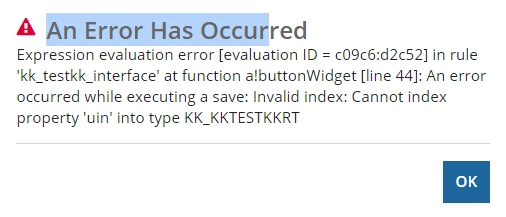
The other 2 fields (UserloggedIn and Unique Identification Number), I want to set it as default value to those record input fields on submit button but it is now working. I don't want to show this field in UI and allow modifcation by User.
Placing my code below. Please suggest what is the mistake here or how to achieve it. Thank you.
Interface:
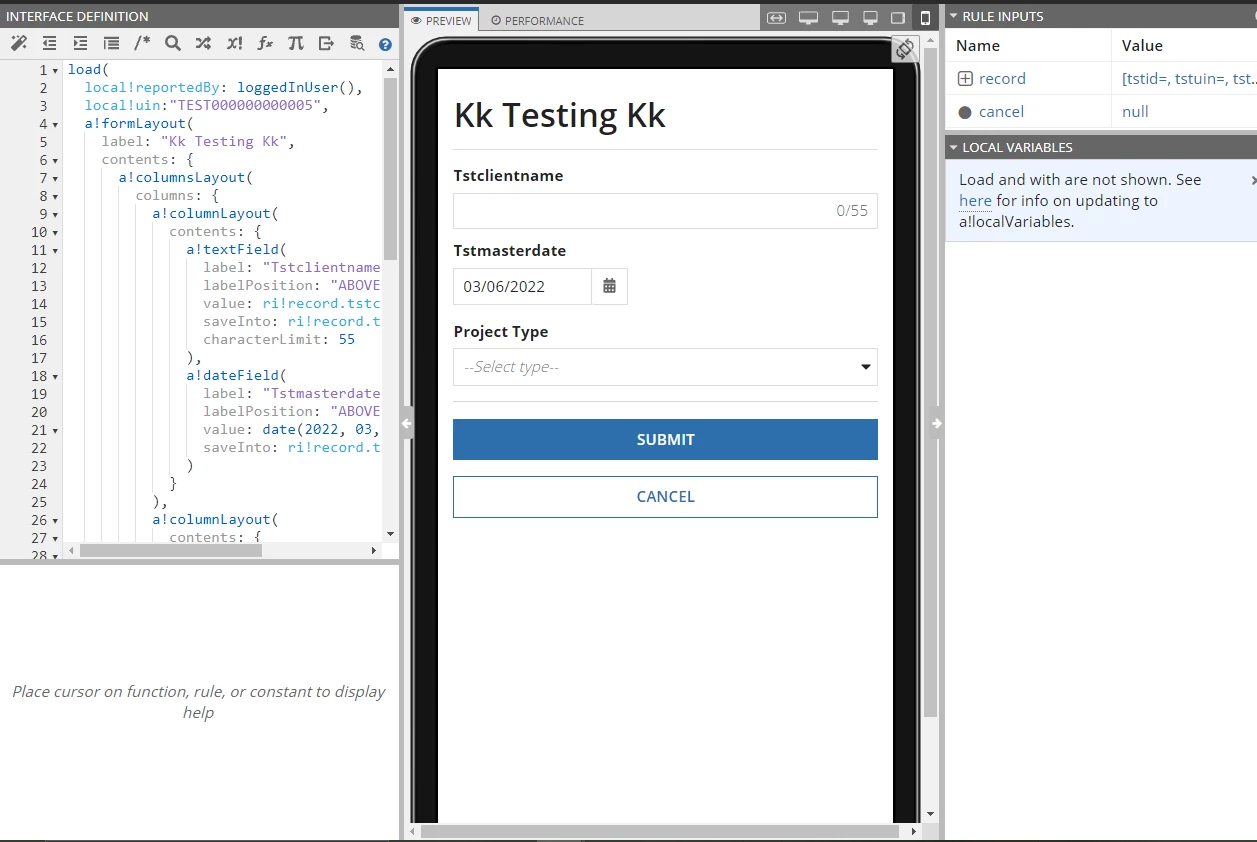
Code:
load(
local!reportedBy: loggedInUser(),
local!uin:"TEST000000000005",
a!formLayout(
label: "Kk Testing Kk",
contents: {
a!columnsLayout(
columns: {
a!columnLayout(
contents: {
a!textField(
label: "Tstclientname",
labelPosition: "ABOVE",
value: ri!record.tstclientname,
saveInto: ri!record.tstclientname,
characterLimit: 55
),
a!dateField(
label: "Tstmasterdate",
labelPosition: "ABOVE",
value: date(2022, 03, 06),
saveInto: ri!record.tstmasterdate
)
}
),
a!columnLayout(
contents: {
a!dropdownField(
label: "Project Type",
labelPosition: "ABOVE",
placeholder: "--Select type--",
choiceLabels: {"New", "Existing"},
choiceValues: {"New", "Existing"},
value: ri!record.tstproducttype,
saveInto: ri!record.tstproducttype
)
}
)
}
)
},
buttons: a!buttonLayout(
primaryButtons: {
a!buttonWidget(
label: "Submit",
saveInto: {
a!save(ri!record.uin, local!uin),
a!save(ri!record.tstaddedby, local!reportedBy)
},
submit: true,
style: "PRIMARY"
)
},
secondaryButtons: {
a!buttonWidget(
label: "Cancel",
value: true,
saveInto: ri!cancel,
submit: true,
style: "NORMAL",
validate: false
)
}
)
)
)
Error: