
Show a different interface based on a record click
Hi team,
I have created an interface which looks like below-
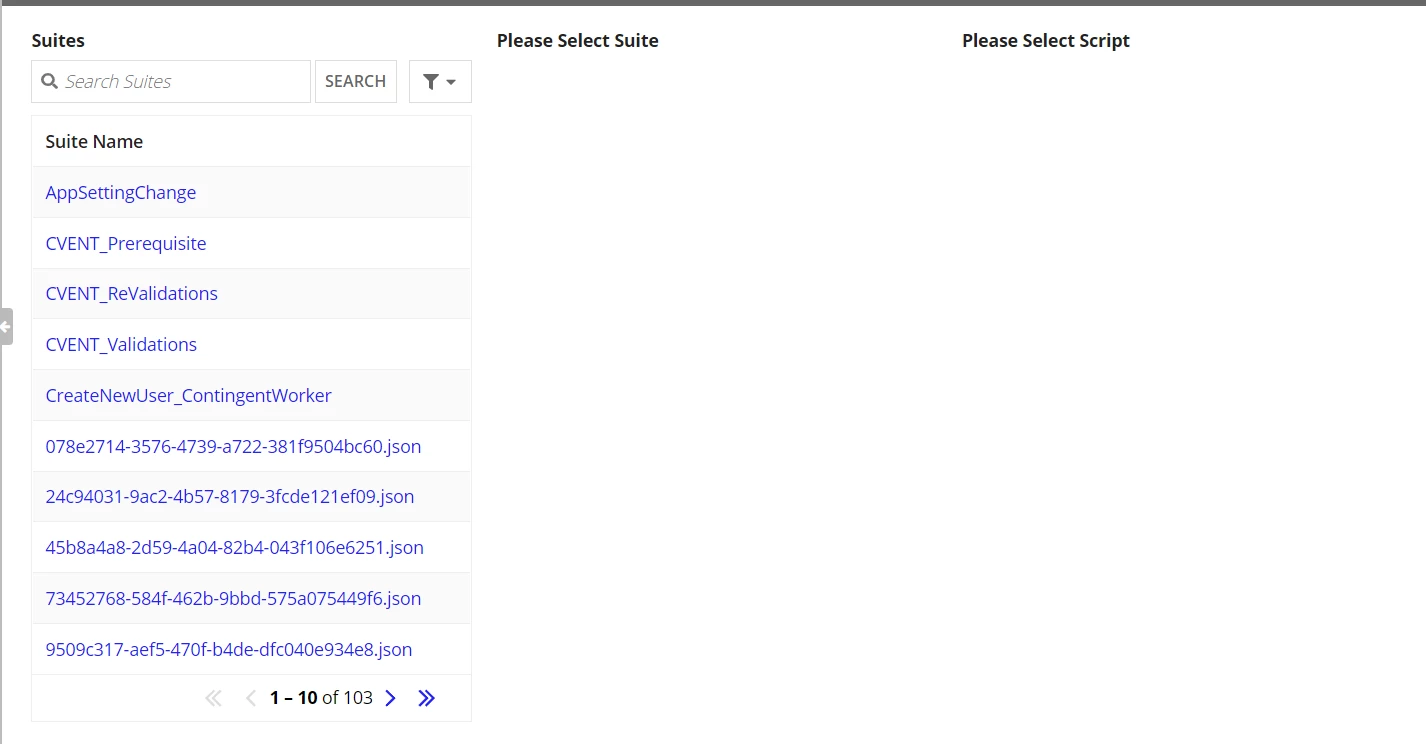
so basically there are 3 columns, Suites, Scripts and Cases.
In 1st column, I have used a readOnlyGrid where I have shown a record.
I have defined a local variable 'local!isSuiteSelected' in the interface expression. Now I want that if someone clicks on a record link then instead of opening a summary dashboard, it should change the value of local variable 'local!isSuiteSelected' to true and it should not open a record summary. How can I achieve this functionality ?
Below are the code snippets.
a!localVariables(
  local!isSuiteSelected:false,
  local!isScriptSelected: false,
  a!headerContentLayout(
    header: {
      a!cardLayout(
        contents: {
          a!richTextDisplayField(
            labelPosition: "COLLAPSED",
            value: {
              a!richTextHeader(
                text: {
                  a!richTextIcon(icon: "users-cog"),
                  " Welcome"
                }
              )
            },
            align: "CENTER"
          )
        },
        height: "AUTO",
        style: "#666666",
        marginBelow: "NONE",
        showBorder: false
      )
    },
    contents: {
      a!sectionLayout(
        label: "",
        contents: {
          a!columnsLayout(
            columns: {
              a!columnLayout(
                contents: rule!BTUA_TestSuites_Partial_Interface(),
              ),
              a!columnLayout(
                /*showWhen: local!isSuiteSelected,*/
                contents: {
                  if(
                    local!isSuiteSelected,
                    rule!BTUA_TestScripts_Partial_Interface(),
                    rule!BTUA_ShowText_Expression("Please Select Suite")
                  )
                }
              ),
              a!columnLayout(
                /*showWhen: local!isScriptSelected,*/
                contents: {
                  if(
                    local!isScriptSelected,
                    rule!BTUA_TestCases_Partial_Interface(),
                    rule!BTUA_ShowText_Expression("Please Select Script")
                  )
                },
                width: "AUTO"
              )
            }
          )
        }
      )
    }
  )
)
BTUA_TestSuites_Partial_Interface:
a!gridField(
  label: "Suites",
  labelPosition: "ABOVE",
  data: 'recordType!{e805a109-fc8e-434b-a28c-4c7b62baa8d4}BTUA_Suites_RecordType',
  columns: {
    a!gridColumn(
      label: "Suite Name",
      sortField: 'recordType!{e805a109-fc8e-434b-a28c-4c7b62baa8d4}BTUA_Suites_RecordType.fields.{b36e5404-7689-44f8-bcb3-efc90764cd0e}suitefilename',
      value: fv!row['recordType!{e805a109-fc8e-434b-a28c-4c7b62baa8d4}BTUA_Suites_RecordType.fields.{b36e5404-7689-44f8-bcb3-efc90764cd0e}suitefilename']
    )
  },
  validations: {},
  refreshAfter: "RECORD_ACTION",
  showSearchBox: true,
  showRefreshButton: false
)
