

shreeharip
November 7, 2025
Question

Sort the values of a number array in paragraph field

  • November 7, 2025
  • 4 replies
  • 0 views

I have an interface where I select numbers using a multi select dropdown . 

When I select it is in the sorted order 
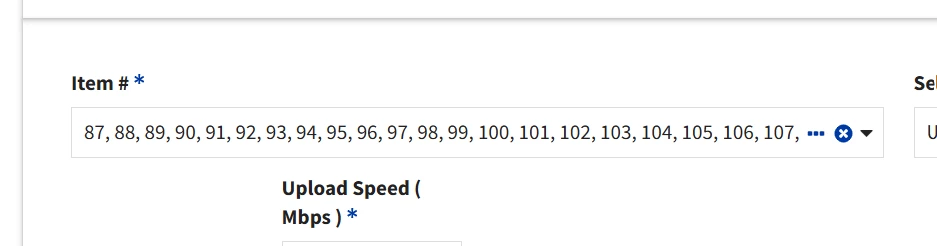
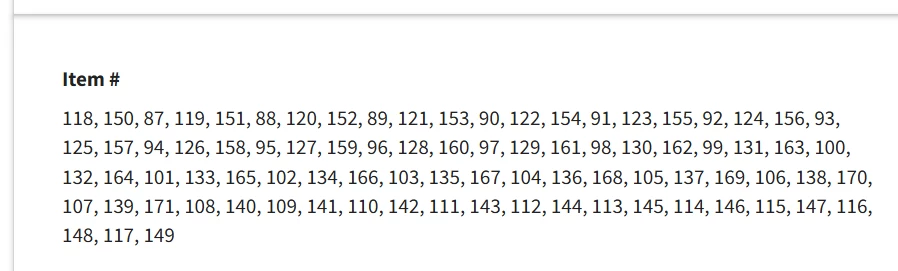
In the next confirmation screen , I show these values in an array as a read only paragraph , it is not maintaining the sorred order ( shown below ) 
 

 a!paragraphField(
                      label: "Item #",
                      labelPosition: "ABOVE",
                      instructions: "",
                      value: a!forEach(
                        items: toString(local!selectedItems),
                        expression: substitute(fv!item, ";", ",")
                      ),
                    saveInto: local!selectedItems,
                      readonly: true
                    ),

I am displaying the paragraph as shown above , Is there anyway to display the local!selected items as sorted ?

    4 replies

    mikes0011
    Brainy
    November 7, 2025

    AFAIK the items selected for a MultiDropdown are added to the target array in the order the user selects them.  The fact that you're seeing them in "sorted" order in the MultiDropdown's value is more an aspect of the fact that that's the ordering as it exists in the dropdown's "choice labels" list.

    If you're saving it as an array of integer, you can always go MadLad and call the primitive (and barely supported) "sort()" function on it.  But it's probably better to establish a hardened expression rule that sorts an arbitrary array based on a supported method like the "toDataSubset" approach, which I'm sure has been posted here numerous times in various permutations.

    shubhama926776
    November 11, 2025

    Can you check what local!selectedItems actually contains after selection?
    Does it show {87, 88, 89...} or is it already scrambled like {118, 150, 87...}?

    mikes0011
    Brainy
    November 11, 2025
    or is it already scrambled like

    Without manual intervention on the designer's part, the input values will represent the order the user selected them.