
April 27, 2026
Question

Tab refresh after update

  • April 27, 2026
  • 4 replies
  • 0 views

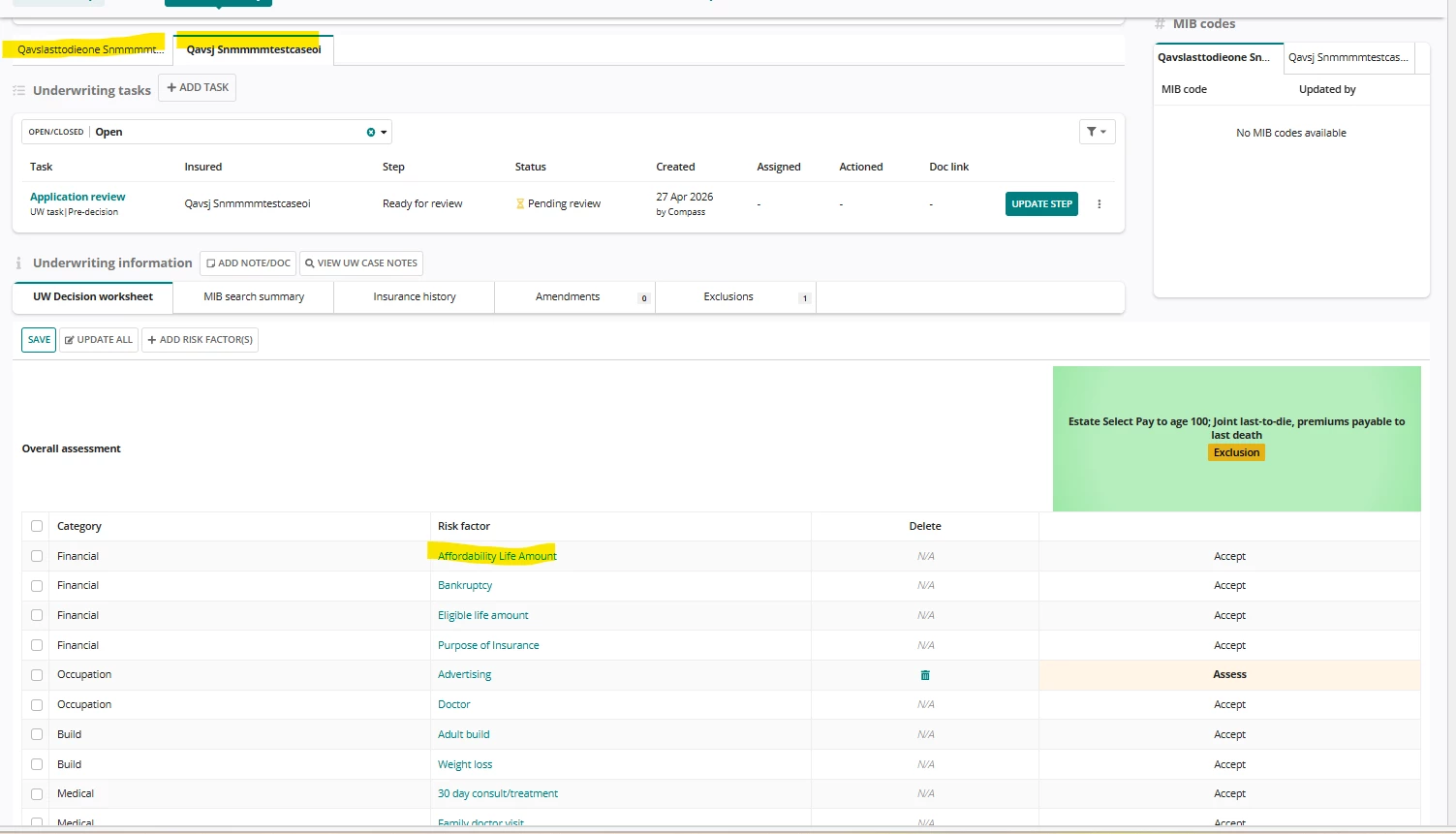
I have two tabs with insured 1 and insured 2 and if I am updating anything in insured 2 tab and clicking on save it is always coming to insured 1 tab since while updating we are using start process link and in the process model user input task is configured, so everytime it refreshes the page after the user input task was triggered, any way to solve this?The below higlighted are the 2 insured tabs and I am updating risk factor for insured 2 tab as soon as I update it is coming to insured 1 tab.
    4 replies

    mikes0011
    Brainy
    April 27, 2026

    Have you looked into persisting the tab state using URL Parameters?  Assuming this interface is being shown on a Site page where you can set it to persist Rule Input values into the URL, then you could create a rule input that'll mirror your current tab state (meaning when the interface loads and the rule input has a certain value, the non-default tab will then load first); this way, when the user is returned to that interface from a Start Process Link "action", they'll be returned to the URL they were previously on and the site should show what you want them to see by default.

    likhithanAuthor
    April 29, 2026

    Unfortunately both tabs have same URL

    mikes0011
    Brainy
    April 29, 2026

    Using the URL Parameters configuration system (correctly) can change this - as I mentioned in my previous reply, it allows you to have Appian persist certain Rule Input values into the URL, in such a way that the URL you return to (after an action for instance) will persist that value, and you can use it in your interface to return the user to the same apparent spot they were in previously.

    mathieud0001
    April 27, 2026

    Only way to solve this is to use URL parameters for the tabs as Mike mentioned: docs.appian.com/.../url-parameters.html