

To display the Check Box with all the selection enabled. Then the user unselects few option and submit it.
Hi Team!
Good morning!
Need your help/suggestion on the below:
I have got a requirement like the check box should appear on the UI with all possible values as selected(ticked) by default, then the user unselects the option that they does not require and submit it. I have tried the below snippet, where in UI its appearing with all the values checked, but upon unchecking the box, it gets selected again. Can you please help me or let me know if there is any possibility to achieve this functionality ?
Code snippet:
a!localVariables
(
local!Checklist:{"A","B","C"},
a!checkboxField(
label:"Checkbox testing",
choiceLabels: local!Checklist,
choiceValues: local!Checklist,
value:local!Checklist,
saveinto: a!save(local!checked, save!value)
)
)
Expected result:
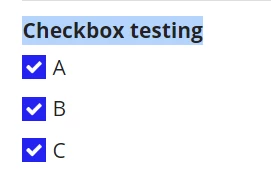
1. At first ,all the options get checked by default
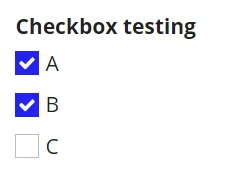
2. The user can able to unselect one or more of the option and submit it
Actual result:
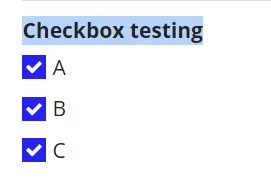
But after unselection, the values gets checked again automatically.
Thanks and regards
Soniya PS