Solved
Updating DB in a new row instead of existing row
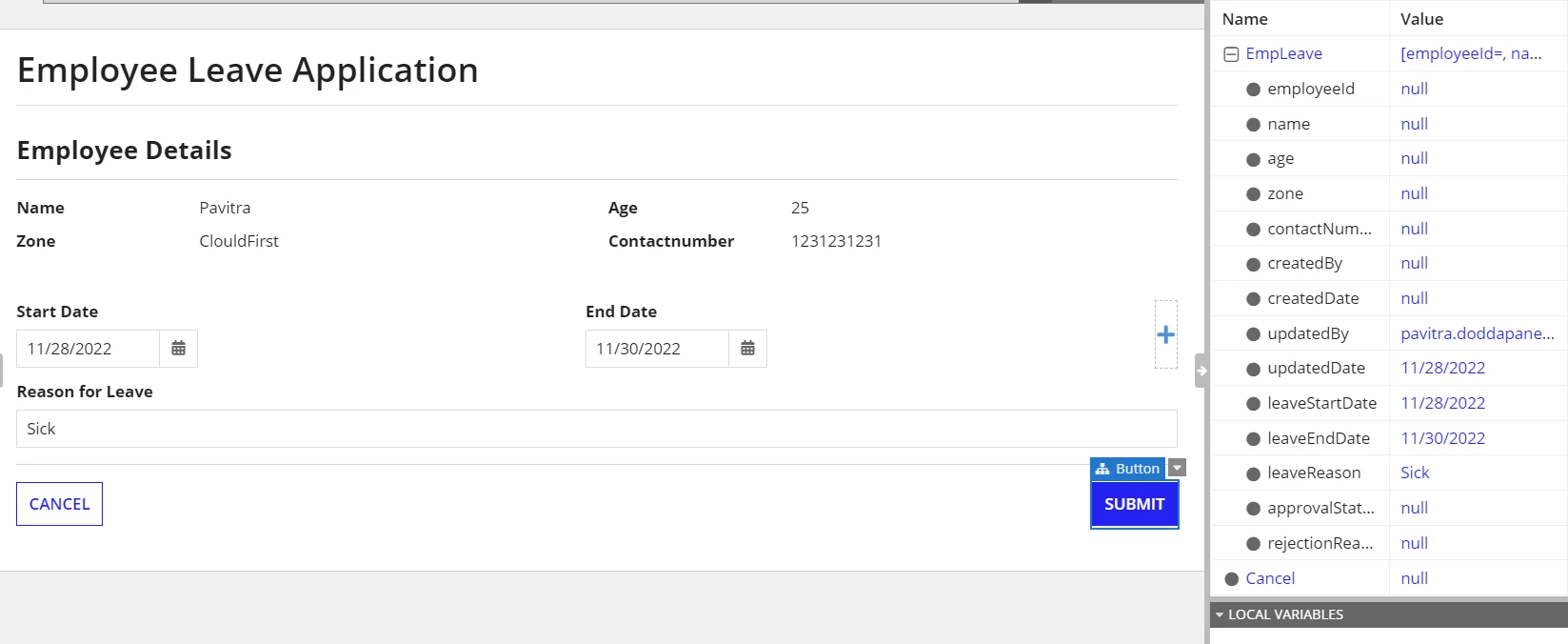
I have form where I need to update the DB for an already existing row with the Date details. But when I clcik on submit it is creating a new row. Please help.
a!formLayout(
  label: "Employee Leave Application ",
  contents: {
    a!sectionLayout(
      label: "",
      contents: rule!ELT_EmployeeDetails_Summary(
        rule!ELT_GetEmployeeDetailsByUser(loggedInUser())
      )
    ),
    a!columnsLayout(
      columns: {
        a!columnLayout(
          contents: {
            a!dateField(
              label: "Start Date",
              labelPosition: "ABOVE",
              value: ri!EmpLeave.leaveStartDate,
              saveInto: ri!EmpLeave.leaveStartDate,
              validations: {}
            )
          }
        ),
        a!columnLayout(
          contents: {
            a!dateField(
              label: "End Date",
              labelPosition: "ABOVE",
              value: ri!EmpLeave.leaveEndDate,
              saveInto: ri!EmpLeave.leaveEndDate,
              validations: {}
            )
          }
        )
      }
    ),
    a!textField(
      label: "Reason for Leave",
      labelPosition: "ABOVE",
      value: ri!EmpLeave.leaveReason,
      saveInto: ri!EmpLeave.leaveReason,
      refreshAfter: "UNFOCUS",
      validations: {}
    )
  },
  buttons: a!buttonLayout(
    primaryButtons: {
      a!buttonWidget(
        label: "Submit",
        saveInto: {
          a!writeToDataStoreEntity(dataStoreEntity: cons!ELT_EMPLOYEE_DETAILS,valueToStore: ri!EmpLeave),
          a!save(ri!EmpLeave.updatedBy, loggedInUser()),
          a!save(ri!EmpLeave.updatedDate, now())
        },
        submit: true,
        style: "PRIMARY",
        loadingIndicator: true
      )
    },
    secondaryButtons: {
      a!buttonWidget(
        label: "Cancel",
        value: true,
        saveInto: ri!Cancel,
        submit: true,
        style: "NORMAL",
        validate: false
      )
    }
  )
)