
May 5, 2022
Solved

user interface

  • May 5, 2022
  • 7 replies
  • 0 views

Hi,

I have a below attached code and interface.

Right now the validation message is getting displayed when I select dropdown field itself. But, I would to show the message only when "Submit" is clicked.

How can I do this.

Thanks. 
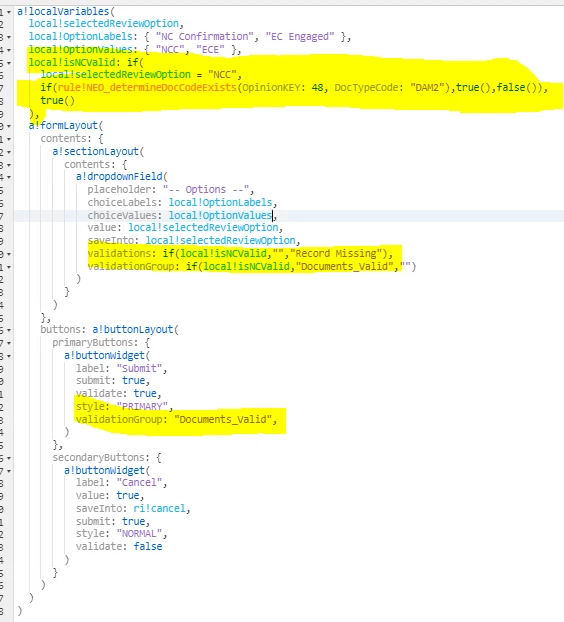
User Interface:

    Best answer by mikes0011

    Use section-level or form-level validations, with a!validationMessage(), with a "validate after" parameter set to "SUBMIT".

    7 replies

    mikes0011
    mikes0011Answer
    Brainy
    May 5, 2022

    Use section-level or form-level validations, with a!validationMessage(), with a "validate after" parameter set to "SUBMIT".

    The Expression Guru
    peter.lewis
    Employee
    May 6, 2022

    I'd also suggest thinking about other ways to perform a validation as well. Validations are useful for free entry fields, but this is a dropdown - could you hide the options that are invalid in the dropdown instead of showing a validation for it?

    hari0002Author
    May 6, 2022

    This is a Business requirement. Instead of not showing the field(s), they have requested me to show the fields and when they submit they want the validations to fire.
