
July 7, 2023
Question

Validation is not working

  • July 7, 2023
  • 9 replies
  • 0 views

Hi,

I have created a dynamic form and have set the necessary values to the properties of the fields like this:

required: true,
requiredMessage: "*",
validationGroup: "Questions"

In the Button I also set the necessary properties like this:

submit: true,
validate: true,
validationGroup: "Questions"

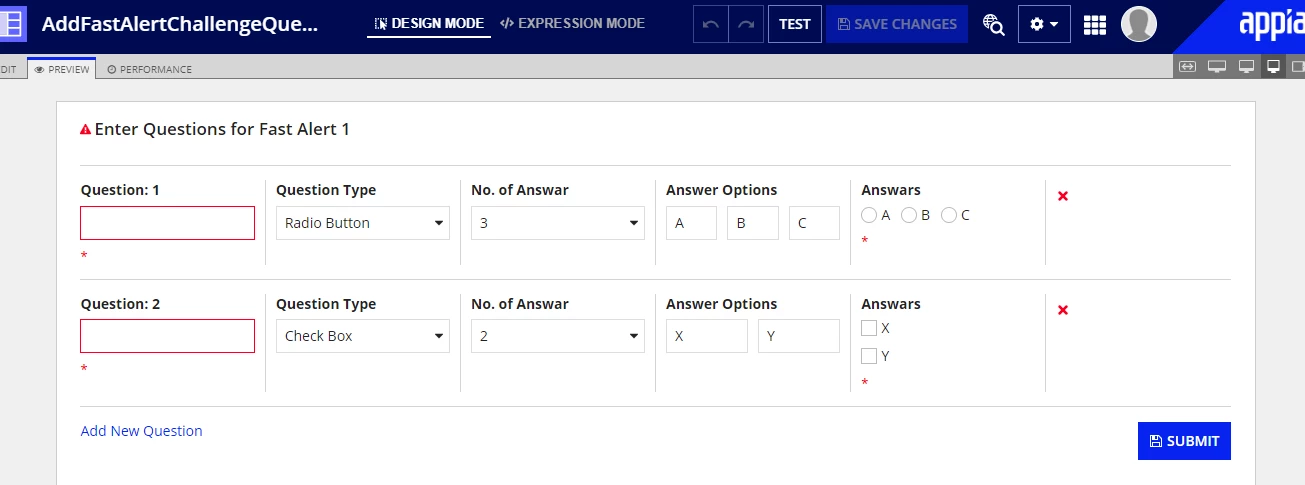
In design view validation is working fine. The screenshot:
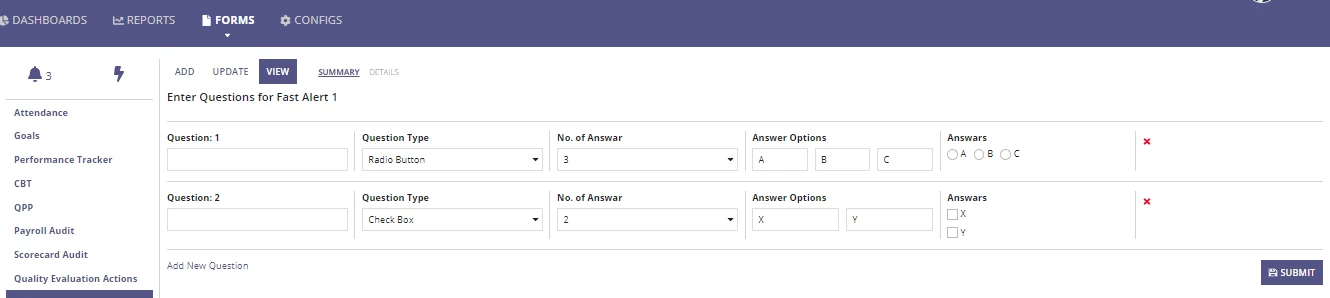
But when it is running in the site, validation is not working even after clicking the button. The Screenshot:
Can any one please help me regarding this and kindly clarify the reason?

    9 replies

    mikes0011
    Brainy
    July 7, 2023

    "submit" buttons aren't really valid in an interface used directly as a Site page, as there's nothing to "submit" since there is no Task / process instance.  What are you "submitting" here?

    Additionally: it appears as if you have no need for the "validationGroup" parameter.  I would suggest just removing that (unless you already know you require it for reasons outside of the portions of code/screenshots you've included here).  This allows the built-in "required" field indicator to show up in the first place (which has always been a silly side-effect of using this feature).  Honestly I almost never use validation groups since the way it works is finnicky and counterintuitive.  But your primary issue here is probably that you're trying to "submit" stuff while not in a Task.

    July 7, 2023

    Thanks for the reply. I have used a!startProcess at the Button's saveInto like this:

    saveInto: {
       a!startProcess(
         processModel: cons!NGS_PM_TEST,
         processParameters: {},
         onSuccess: {}
       )
    }

    But still validation is not working.

    mikes0011
    Brainy
    July 7, 2023

    In this case you would not need to set "submit" to true (in fact you should probably set it to FALSE); keep the "validate" parameter set to true; and i still suggest you remove the "validation group" parameter altogether, as i mentioned before.

    gayatria0439
    July 31, 2024

    If we want to submit the form through the process, please ensure it is configured with Submit: True and Validate: True. However, if you want to handle it only from the interface, configure the submit button with only Validate: True. The Submit: True setting is used  for navigating from one node to another in the process model and does not work when submitting through the interface Thats why you are not able to see validation message in site though it is working from interface level.