
KB-1036 Generic Windows error pop-up shown when navigating through /designer
Symptoms
Users will encounter a blank window and a pop-up with the following error when navigating through /designer with Internet Explorer:
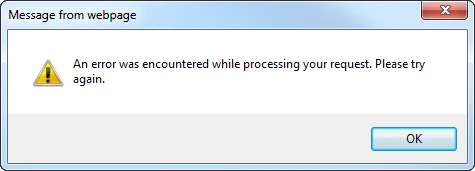
One way to reproduce this issue is as follows:
- In Internet Explorer, open /designer and access the System tab.
- Expand System Administration Home on the left of the screen, click on the Data Management folder, and select Data management.
- Go to the Data Stores tab and click on Create a data store.
- The error should appear.
Cause
Native XMLHTTP is not enabled in Internet Explorer.
Action
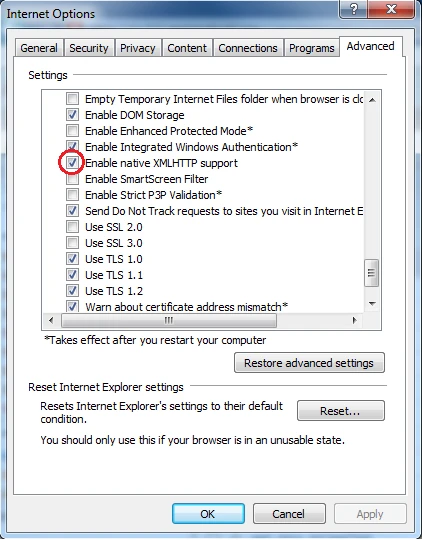
To enable XMLHTTP, perform the following:
- In Internet Explorer, go to Tools > Internet Options.
- Open the Advanced tab.
- Scroll down to the Security section and check the box labeled Enable Native XMLHTTPSupport. Click OK to save changes.
Affected Versions
This article applies to all versions of Appian and all supported Internet Explorer versions.
Last Reviewed: February 2017