
June 4, 2021
Question

Error in "Import excel to database" component in process model

  • June 4, 2021
  • 5 replies
  • 0 views

error is : ???An object or column name is missing or empty. For SELECT INTO statements, verify each column has a name. For other statements, look for empty alias names. Aliases defined as "" or [] are not allowed. Change the alias to a valid name.??? 

I have an excel with 4 columns 

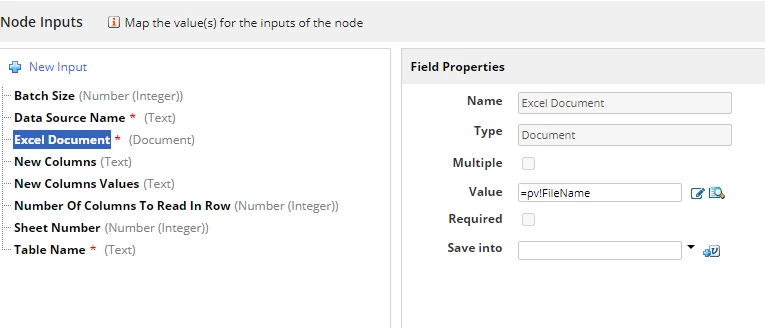
Column names are same. I don't understand the error. File name I am passing as process variable. Number of columns to be read is 4 as i have 4 columns in file. Table name is my datatype name and data source is jdbc/mydatabase. What am I missing? 
5 replies

September 30, 2021

could you please show the rest of parameters you are passing?

karumurua531442
September 30, 2021

try converting pv!FileName to : todocument(pv!FileName) and also check the all the types are of document type

csteward
September 30, 2021

As a side note here, when loading excel to the database I always gravitate towards fn!readexcelsheetpaging() from the Excel Tools plugin.  You can create a rule that utilizes this function to read from the document, manually cast values to your CDT with an a!foreach() loop, then utilize the standard Write to Datastore Entity node.  Much more flexibility and consistency in my experience.  

anups4671
December 1, 2022

Hi Chris, please suggest how to do it without CDT

csteward
December 1, 2022
Hi Chris, please suggest how to do it without CDT

You don't need a CDT, you can read data into a local variable and do whatever you want with it from there.  What are you trying to accomplish without a CDT?