
September 2, 2025
Solved

Document of plugin

  • September 2, 2025
  • 8 replies
  • 0 views

When I want to use a plugin like pdftools. Is there anyway I can read the document of the plugin. I want to know the behavior and function of each nodes' Inputs and outputs, and the available value of the inputs and outputs.

Best answer by harshas2775

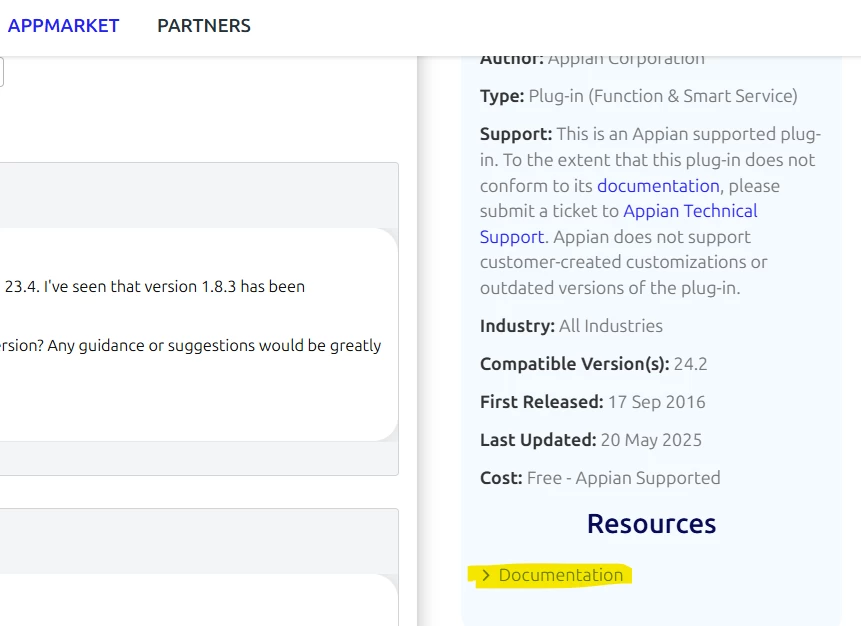
You can find the documentation in the zip file when you download the plugin from App Market. Also for some plugins you can find documentation in the Plugin Page-> Documentation link.

PDF Tools has the documentation pdf within the zip only and not on the plugin page. 

8 replies

shubhama926776
September 2, 2025

Download Zip of Plugin in that you will find documentation file.
https://community.appian.com/b/appmarket/posts/pdf-tools#

Attached for your reference..
[View:/cfs-file/__key/communityserver-discussions-components-files/19/0245.PDF-Tools.pdf:320:240]

September 2, 2025

Thank you, it's really helpful

harshas2775
September 2, 2025

You can find the documentation in the zip file when you download the plugin from App Market. Also for some plugins you can find documentation in the Plugin Page-> Documentation link.

PDF Tools has the documentation pdf within the zip only and not on the plugin page. 

September 2, 2025

What I can see like this. I don't have the Resources section. shubhama926776's answer can solve my problem.

harshas2775
September 2, 2025

As I mentioned, some plugins have Resources with Documentation link. Others, like PDF Tools, you can find documentation in the zip file when you download the plugin

mikes0011
Brainy
September 2, 2025

You may encounter certain plug-ins for which there is apparently no documentation at all (nothing in the plug-in's download file and nothing posted on the page).  In such cases unfortunately the implication might be that the plug-in's author never furnished any user-facing documentation, and your only sure bet would be to contact them (though if your need was great, you could either contact your Appian Account Representative, or perhaps send an email to support or community at Appian) and see if they could follow up with the plug-in authors for you.

stefanhelzle0001
September 2, 2025

The last resort is, to download the plugin and inspect the included Java source code.