
January 11, 2023
Solved

Import Excel to Database now writing to Database

  • January 11, 2023
  • 4 replies
  • 0 views

Good Evening Great People,

I keep having a problem with the Import Excel to Database Plug-in Smart Service. I import the Data, the are no errors on all the notes, however the information is not written to database.

The first time, I encountered the problem, I just deleted the plug-in and re-deployed it and it worked.

The second time I encountered the problem, I reverified the Entity mappings on my Datastore.

Then the third time, I resolved it by removing the delete 

Today, I encounter a similar problem and I have tried the previous tricks non of them work. What are the possible reasons that this plug-in could fail to write to DB even though there are no process note errors
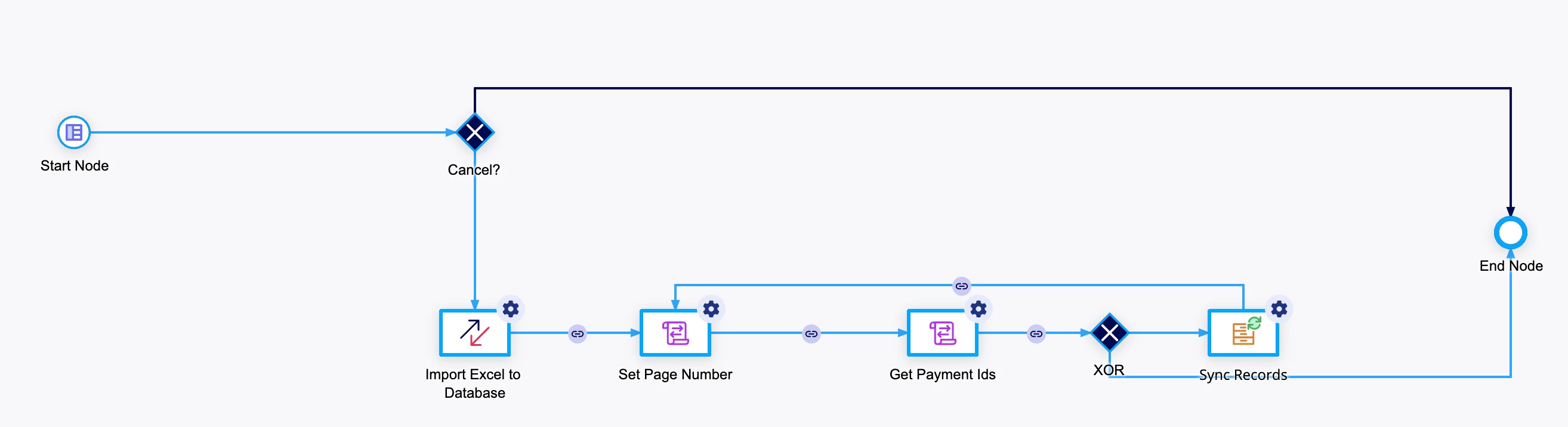
Your assistance would be highly appreciated thank you

    Best answer by csteward

    Issues like this are why I always recommend to use the fn!readexcelsheetpaging() function within the Excel tools plugin, instead of the direct Excel to DB service.  In an expression rule you can use the function to read the spreadsheet, save data into your CDT (and perform any manipulations needed), then use the OOTB Write to Datastore Entity node to persist the CDT to the DB.  That is much more flexible, and you can debug much more easily as you go.

    Otherwise you may have better success posting in the Excel Tools plugin thread itself.

    4 replies

    csteward
    cstewardAnswer
    January 11, 2023

    Issues like this are why I always recommend to use the fn!readexcelsheetpaging() function within the Excel tools plugin, instead of the direct Excel to DB service.  In an expression rule you can use the function to read the spreadsheet, save data into your CDT (and perform any manipulations needed), then use the OOTB Write to Datastore Entity node to persist the CDT to the DB.  That is much more flexible, and you can debug much more easily as you go.

    Otherwise you may have better success posting in the Excel Tools plugin thread itself.

    January 12, 2023

    Thank You very much Chris. Is the expression called inside a Script Task? 

    csteward
    January 12, 2023

    You can call it inside a Script Task, yes.  I would recommend to make a new expression rule for this purpose, that will also allow you to upload a sample excel file in /design for testing, point a constant at it, and fully test your new expression independently of the process.