Question
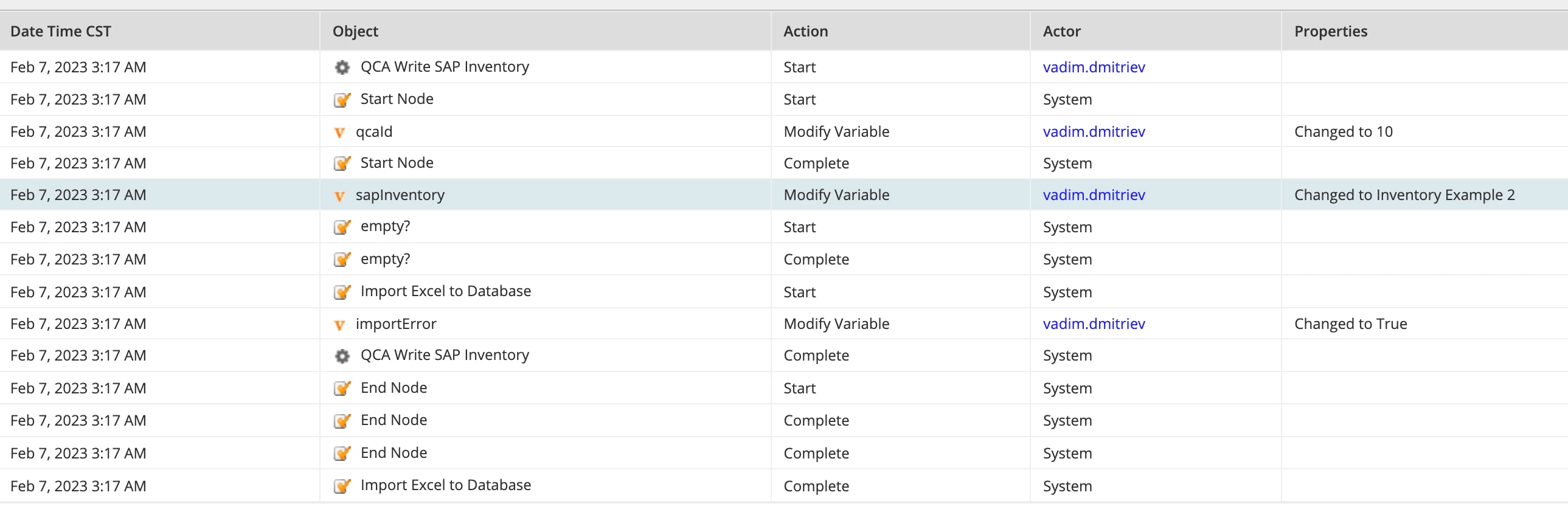
Problem using Import Excel to Database smart service
Hi, everyone! I need to import a spreadsheet data into a database table and I'm using Import Excel to Database smart service for that matter with parameters described below:
- Batch Size = 1000;
- Data Source Name = "jdbc/Appian";
- Database Field Names = { "EQUIPMENT_NO", "MATERIAL_TOT", "SUPERIOR_EQUIPMENT_NO", "SUPERIOR_TECH_ID", "CALCULATED_ACTIVITY", "NEXT_LEAK_TEST_DATE", "HAL_SERIAL_NO", "ISOTOPE", "SORT_FIELD", "AMI_DOCUMENT_NO"};
- Excel Document = pv!sapInventory;
- Excel Header Names = { "Equipment", "Material/TOT", "Superord. Equipment", "Superior TechID", "Calculated Activity", "Next Leak Test Required Date", "Halliburton Serial No.", "Isotope", "Sort field", "AMI Document Number"};
- New Columns ={ "QCA_ID", "IS_ACTIVE", "CREATED_BY", "CREATED_ON"};
- New Columns Values ={ tostring(pv!qcaId), if(true(), "1", "0"), user(loggedInUser(), "username"), now()};
- Number of Columns to Read in Row = 35;
- Sheet Number = 0;
- Table ="QCA_SAP_EQUIPMENT_INVENTORY_LIST"
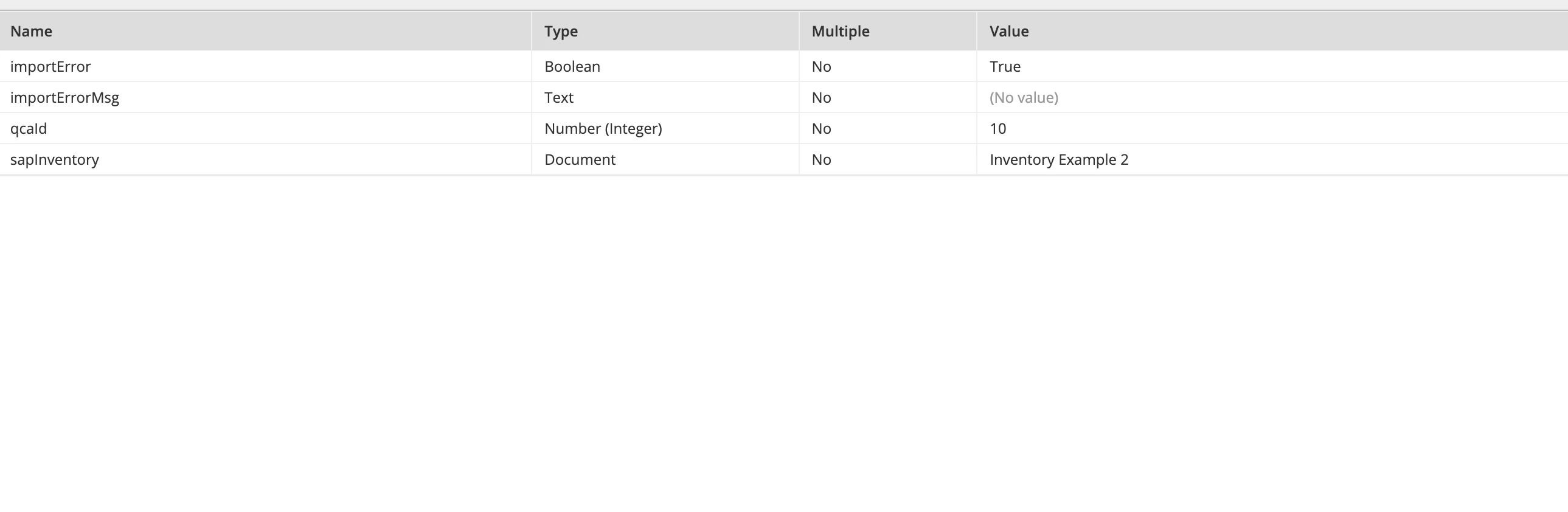
So basically excel header names I got from a document are in respective order as database field names. Also there are other database columns which I'm populating with other data than spreadsheet. The problem is that a smart service returns Error Occured = true, but no Error Txt. So I can't localize an issue