
Question
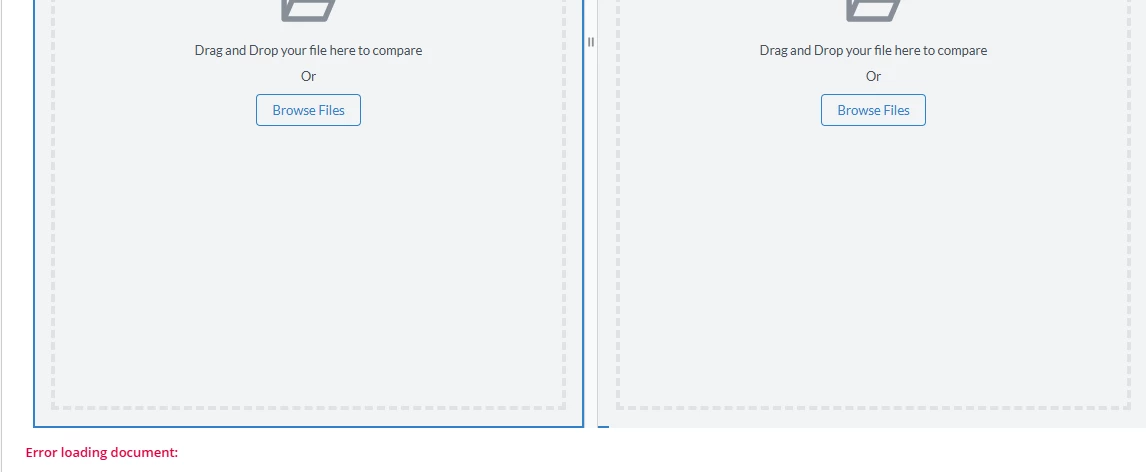
Showing "Error while loading document"in interface when using Apryse Webviewer
Product: Apryse WebViewer Component Plug-in
Product Version: 5.5.1
I am using Apryse webviewer in Appian for document comparison. I am passing 2 appian doc id as parameters. But as soon as the interface is loaded it shows " Error while loading document ". But when I am manually uploading the two doc it works fine.
Here's the screenshot of the error.
.
This is the code used for apryse webviewer
...
              webviewer(
                label: "WebViewer",
                labelPosition: "ABOVE",
                validations: {},
                height: "AUTO",
                hidden: null,
                key: null,
                url: null,
                serviceAPIKey: null,
                appianDocId: { 224563,788333 },
                preflattenDocuments: null,
                documentFolder: cons!FOLDER,
                uploadChunkSize: null,
                userDisplayName: null,
                enableReadOnlyMode: null,
                enabledElements: false(),
                disabledElements: null,
                docAccessConnectedSystem: cons!WebViewer_CS,
                loadAsPDF: false(),
                enableAnnotations: true(),
                notesInLeftPanel: null,
                darkMode: false,
                defaultLanguageCode: null,
                customCSSFileId: null,
                customCSSPath: null,
                enableRedaction: true,
                enableMeasurement: true,
                enableExtractPagesToAppian: true,
                xfdfAnnotationDataValue: null,
                xfdfAnnotationDataSaveInto: null,
                autoExportXfdf: null,
                annotationCommands: null,
                onAnnotationsChanged: null,
                enableDocumentGeneration: true,
                searchTerm: null,
                redactionTerm: null,
                autoApplyRedactionTerm: false,
                enableMultiTabMode: true,
                enableSemanticCompareMode: true,
                automaticSemanticComparison: true,
                mentionableUsers: null,
                mentionsAPIURL: null,
                onMentionsChanged: null,
                enableSignatureRequests: true,
                onStartSignatureWorkflow: null,
                onSelectAssignee: null,
                xfdfDocumentFolder: null,
                signingUsers: a!map(
                  userData: {
                    value: "Test User",
                    email: "test@test.com"
                  }
                ),
                saveAsFilenameTemplate: null,
                disableSaveAsFilenameInput: false(),
                enforceNewSaveAsFilename: true,
                customSubstituteFontURL: null,
                enablePdfEditing: false(),
                enableOfficeEditing: false(),
                enableSignatureEncryption: false,
                configFileId: null,
                customData: null,
                disableAppianMenu: null,
                appianProcessButtons: null,
                timerInterval: null,
                onInterval: null,
                webviewerServerURL: null,
                onCustomEvent: null,
                enableConsoleClear: null,
                debugLog: null
              )
 ....