September 10, 2023
Solved

Fitnesse Test framework
  • September 10, 2023
  • 16 replies
  • 0 views

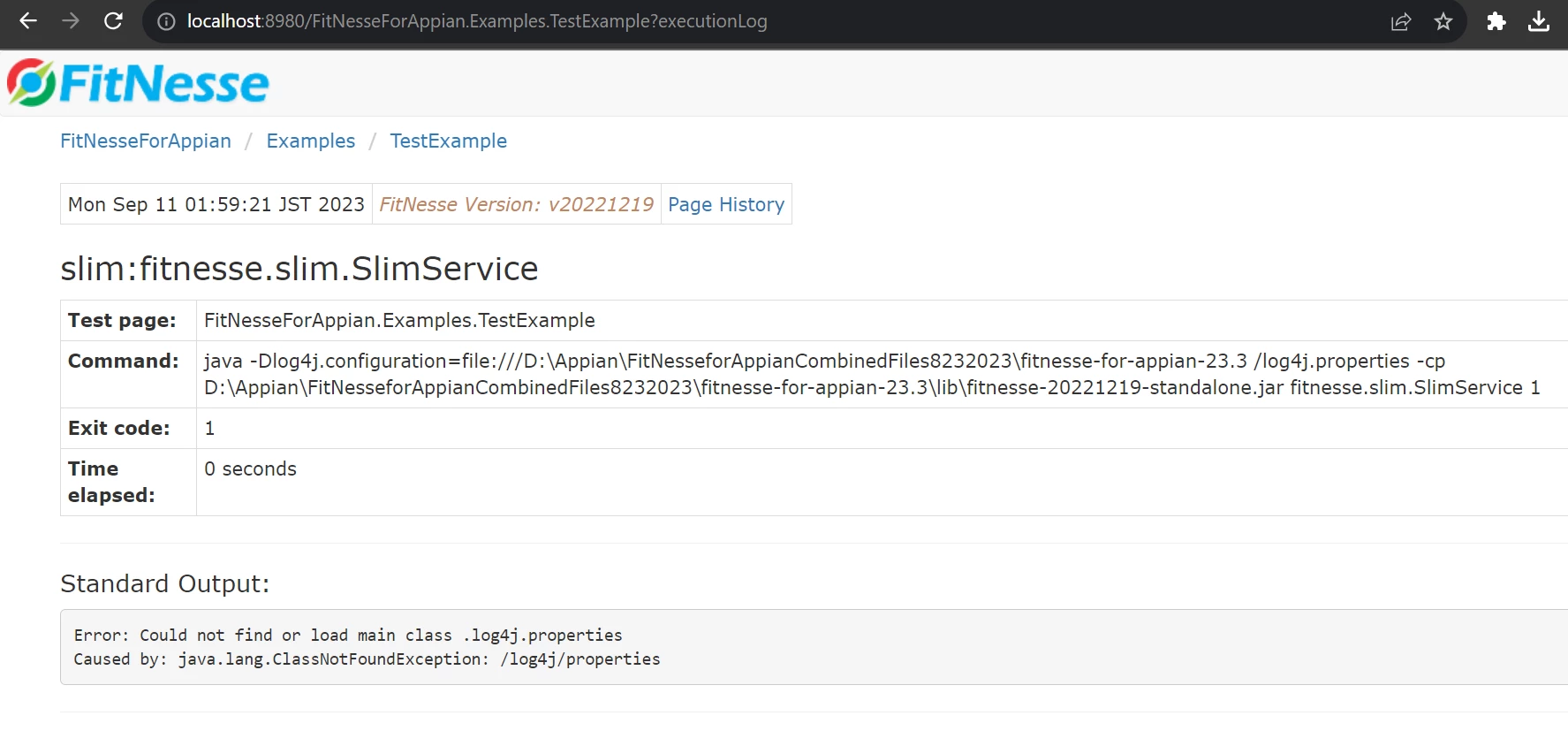
Please help me. Zar file inside log4j.properties are missing as per command.  i m very new in Appian.
if you have any link from where i can learn testing . Please share. Thank you very much in Advance.


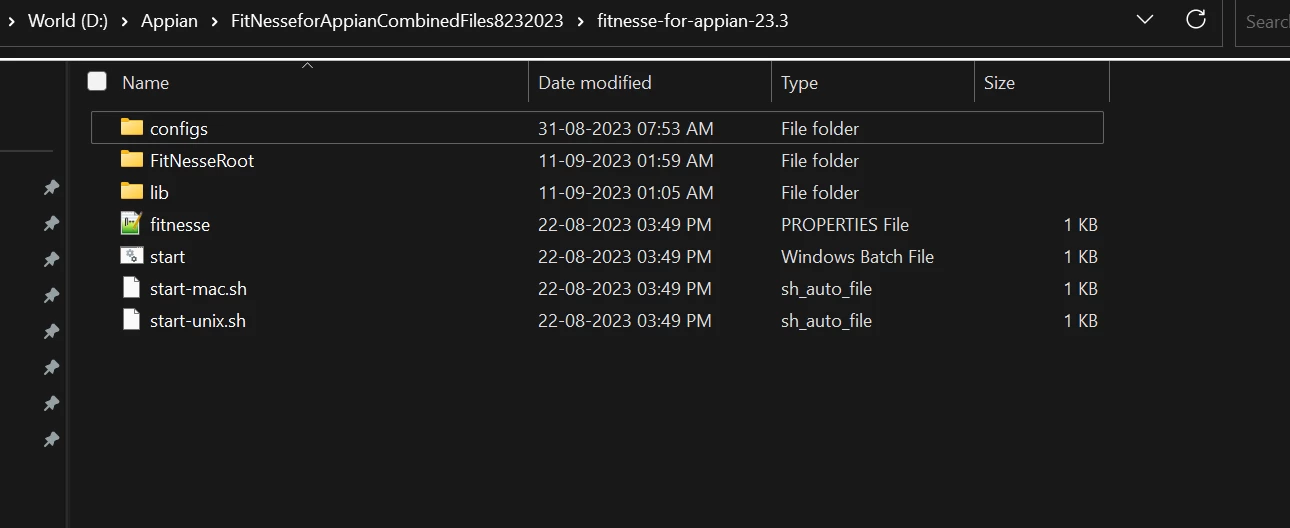
Fitnesse tools i downloaded from below link https://community.appian.com/b/appmarket/posts/fitnesse-for-appian.  where log4j files are missing as per error.

Best answer by mathieud0001

Check your custom.properties file to make sure that there isn't a space at the end of your path.

16 replies

mathieud0001
September 10, 2023

I think your the last part to the log4j.properties is not properly formatted. There's an extra space and forward slash instead of backwards slash.

log4j.configuration=file:///D:\Appian\FitNesseforAppianCombinedFiles8232023\fitnesse-for-appian-23.3\log4j.properties

September 11, 2023

I haven't changed the defined commed. it is default writhen by fitnesse only.


Still you want me to correct it. Below are commend.Please modify it. Thank you very much!

!***> FitNesse Configurations

!define TEST_SYSTEM {slim}
!define COMMAND_PATTERN {java -Dlog4j.configuration=file:///${automated.testing.home}/log4j.properties -cp %p %m}
!path ${automated.testing.home}/**.jar
*!
----
!3 '''Please follow the directions below to execute the test'''
----

September 11, 2023