davinar9817
January 30, 2023
Solved

Next and Back Button for Records in a Read-Only Grid

  • January 30, 2023
  • 25 replies
  • 0 views

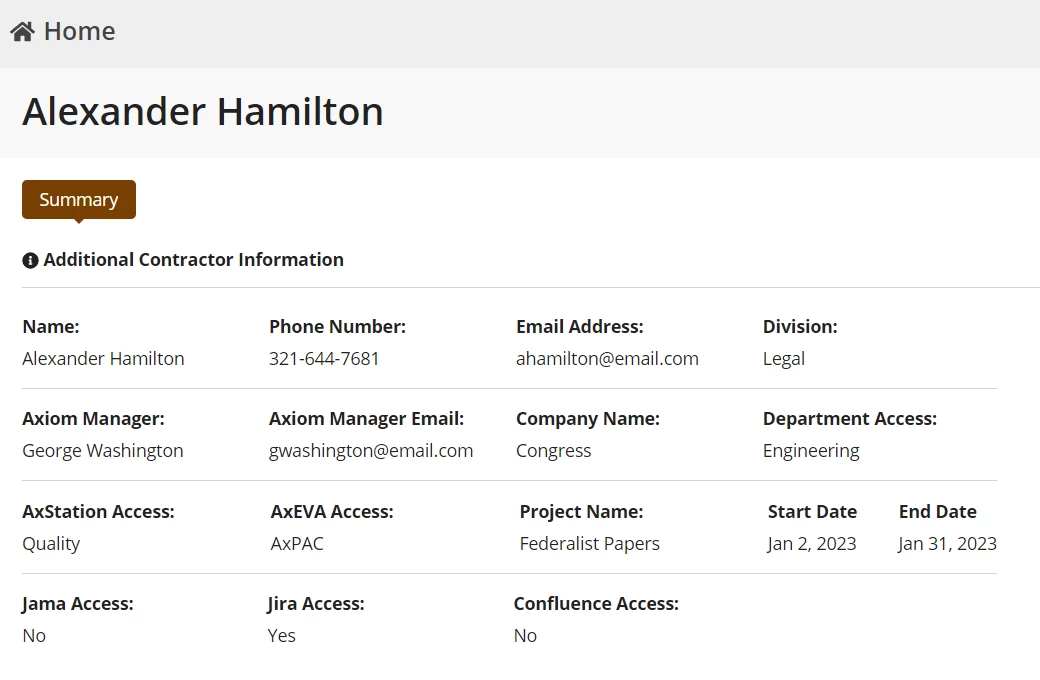
So I have a read-only grid displayed on a site through an interface. The summary is also displayed through an interface, and the summary of a record is pictured below.

What I want to do is add a button, going to the next or previous record so that the user doesn't have to click the home button in the top-left.

I found this thread but wasn't sure how to apply it to my situation (not completely sure how to apply a!query):

community.appian.com/.../access-to-previous-and-next-records
Best answer by stefanhelzle0001

Depending on what "next" and "previous" actually means, in terms of sorting your records, you would just need to add the buttons and an a!save() which loads that next/previous record into a local variable. Then your interface will display the just fetched data.

Did you already try something?

25 replies

stefanhelzle0001
Brainy
January 30, 2023

Depending on what "next" and "previous" actually means, in terms of sorting your records, you would just need to add the buttons and an a!save() which loads that next/previous record into a local variable. Then your interface will display the just fetched data.

Did you already try something?

davinar9817
January 30, 2023

I haven't tried anything yet, but I will try that!

mikes0011
Brainy
January 31, 2023

Did you read the answers I provided in the therad you linked?  What exactly are you not able to figure out?  FWIW the answers I'd give for this question now are no different from what I answered there, except for adjusting as needed for data sourced via Synced Records instead of Query Entity.

davinar9817
January 31, 2023

Yes I did, I don't understand where to put the a!queryEntity in relation to the button(s), and also how to create a datastore for the entity. I am using a record type but I'm not sure where to get the datastore from

a!queryEntity(
  entity: cons!my_entity,
  query: a!query(
    pagingInfo: a!pagingInfo(
      startIndex: 1,
      batchSize: 1,
      sort: a!sortInfo(
        field: "primaryKey", 
        ascending: if(ri!fetchingPrevious, false(), true())
      )
    ),
    filter: a!queryFilter(
      field: "primaryKey",
      operator: if(ri!fetchingPrevious, "<", ">"),
      value: ri!currentPrimaryKey
    )
  )
).data.primaryKey

mikes0011
Brainy
January 31, 2023
I am using a record type but

Then you'd just use queryRecordType instead of QueryEntity.  Everything else should work essentially the same.

I don't understand where to put the a!queryEntity in relation to the button(s)

As I wrote in the other thread, you will need to use Links for this, as Buttons have no way to do actual Record Link functionality which is what you'll really want to use here.  As for where to query the data: you would query it with the other local variables at the top of the form - basically just to get the identifiers for "next record" and "previous record".  Then you would place your links wherever you want - on the bottom, at the top, in very tiny columns on the sides, etc... that's up to you.