March 1, 2022
Solved

Reading Excel file - Appian RPA

  • March 1, 2022
  • 5 replies
  • 0 views

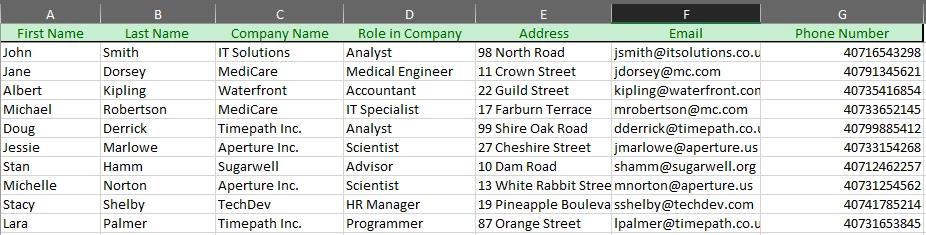
I am learning Appian RPA and the documentation on the excelmap data provider is a little underwhelming.

I am currently trying to get Appian RPA to just read the excel file but the only results for "Rows" is null.

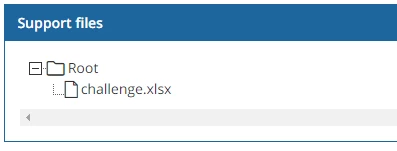
See below for screenshots of my configuration. I am able to get the other low code methods working just fine. The only problem is the excel file is in my support files, But RPA doesn't seem to recognize it as present and as a result outputs "Null" every execution.
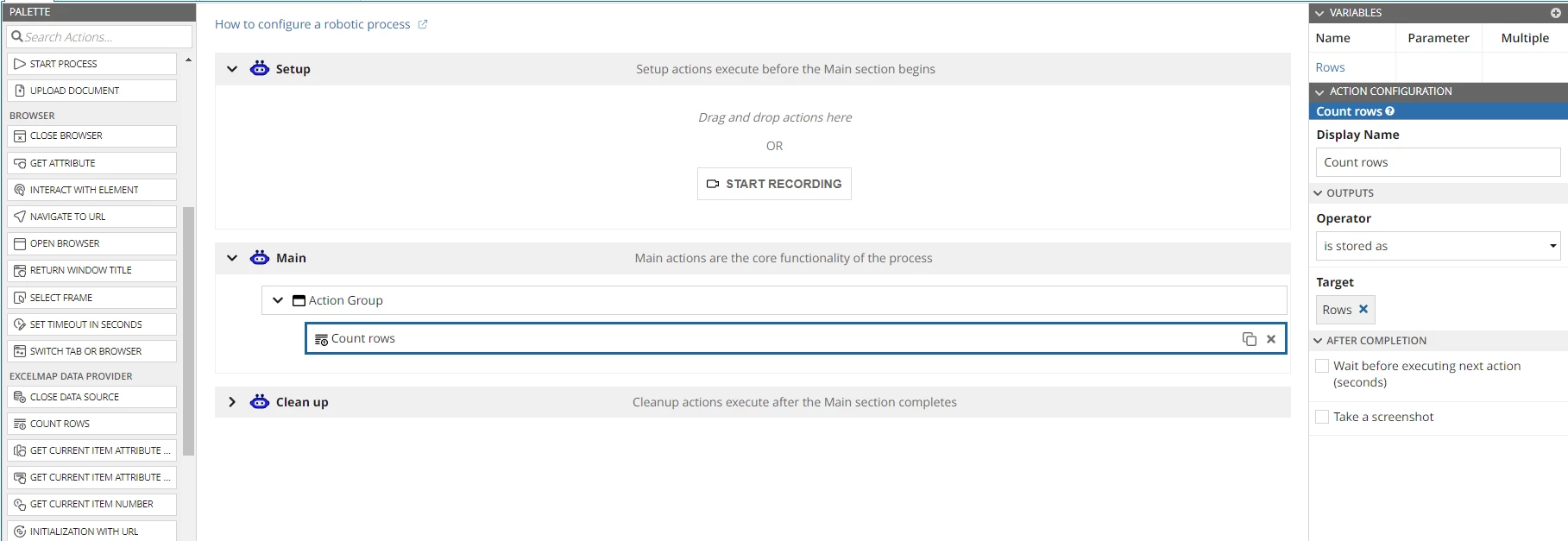
Ideally I would like to iterate over the rows and get the information per row, I put the count rows just as a test to see if it would work correctly but to no avail. Any help is appreciated!

Best answer by danny.verb

Instead, I recommend using the plugins to get data from Excel. You can:

Use the method 'Upload Document' to upload the excel file to Appian which will return an Appian Document

Use the 'evaluate expression' action to use the plugin functions and save excel data into process variables.

Then, use those process variables to enter data into your forms

5 replies

danny.verb
March 1, 2022

For reading files from Excel, I recommend using the excel tools plugin https://community.appian.com/b/appmarket/posts/excel-tools

It lets you read from excel files row by row on the Appian server instead of having to use RPA

March 1, 2022

Yes but my question is directed towards RPA, I would like to learn to use the services.

danny.verb
March 1, 2022

For RPA, I would focus on interacting with windows applications using the Windows Automation actions or the Browser actions. It's good to find a solid use case first