

KB-1783 File upload to Appian gets stuck with Apache web server
Symptoms
When a user is uploading a file to Appian via an Apache web server, the file upload gets stuck with the message "Waiting" in the progress bar. For example, this can be seen in the Import Application window as shown below:
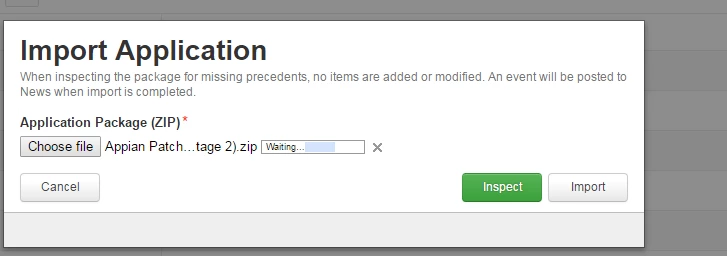
The apache log may also contain an error code 413: Request Entity Too Large.
Cause
The Apache web server contains a value that is limiting the file upload size. For more information see Apache documentation.
Action
Increase the LimitRequestBody to a value that will satisfy the file requirements. This directive can be added to the .htaccess or httpd.conf file. Setting this value to 0 removes any file size restriction: LimitRequestBody 0.
Affected Versions
This article applies to all versions of Appian.
Last Reviewed: November 2018