

KB-1032 Issues with search server functionality
Symptoms
Users will see the following error in Appian:
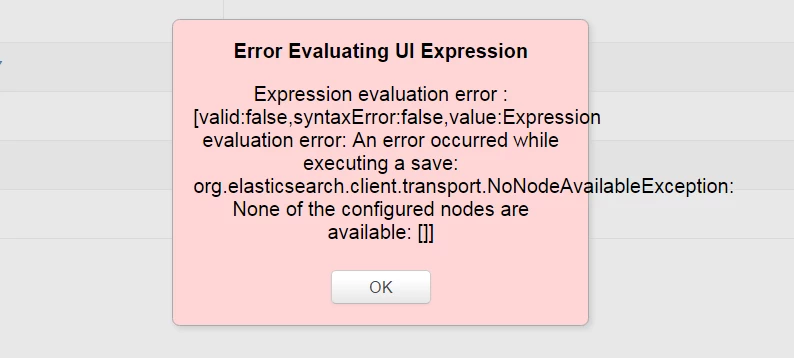
Error Evaluating UI Expression

Expression evaluation error : [valid:false,syntaxError:false,value:Expression evaluation error: An error occurred while executing a save: org.elasticsearch.client.transport.NoNodeAvailableException: None of the configured nodes are available: []]
Along with the above error, users will see the following error in the application server log:
INFO [stdout] (http-/0.0.0.0:8080-5) 2015-06-10 11:26:42,836 [http-/0.0.0.0:8080-5] WARN com.appiancorp.security.auth.activity.UserActivityFilter - Could not record user activity: secCtx=rajivr, authDetails=AuthenticationDetails[ts=2015-06-10 11:19:47.704, entryPoint=PORTAL, clientIpAddress=172.18.0.220, clientUserAgent=Mozilla/5.0 (compatible; MSIE 10.0; Windows NT 6.1; Trident/6.0)] -- org.elasticsearch.client.transport.NoNodeAvailableException: None of the configured nodes are available: []
This results in interruptions in the following functionality:
- Current User Activity (Appian 7.8 and above)
- If there is a limit on the number of concurrent sessions enforced per account, no users will be able to log in.
- Precedents and Dependents views in Appian Designer (Appian 7.9 and above)
- A red error box will appear when attempting to view either precedents or dependents.
- Dependents on custom data types in /designer will still be available, but performance will be hindered.
- Missing Precedents View (Appian 7.9 and above)
- A red error box will appear when attempting to open the Missing Precedents window.
- Historical Interface Performance Trends (Appian 7.9 and above)
Cause
This is caused by an issue with the search server, specifically one or more of the following:
- The search server is not running.
- The search server is unreachable inside the network.
- The search server is in a state of error (e.g., out of memory).
Action
To correct this behavior, perform the following:
- Verify that the search server process is running.
- In Windows, there should be a Java window for the search server in the Start bar.
- In Unix, run ps -ef | grep search in a Terminal window. There should be a result for appian-elasticsearch-server.jar.
- Edit each of the appian-topology.xml files (located in
<APPIAN_HOME>/ear/suite.ear/confand<APPIAN_HOME>/search-server/conf) and ensure that the search server is defined properly. - If either the search server is not running or it was not properly defined in both appian-topology.xml files, stop the application server, (re)start the search server, then start the application server.
If the issue still hasn't been resolved, verify the following:
- Make sure the user running the search server process has read, write, and execute permissions over
<APPIAN_HOME>and<JBOSS_HOME>. Ideally, this user will also be the user running the Appian engines.- If permissions were not adequate, add appropriate permissions and follow steps 2 and 3 in the procedure above.
- If an incorrect user was being used to run the process, follow steps 2 and 3 in the procedure above using the correct user.
- Make sure the port the search server is hosted on is open and outside machines can communicate to the search server machine using this port.
- Make sure the search server process does not abruptly stop after starting the process.
Affected Versions
This article applies to Appian 7.8 and later.
Last Reviewed: April 2017